


Overview
Outage log + Wi-Fi connection monitor: free speed test, latency tracking, and ISP evidence reports.
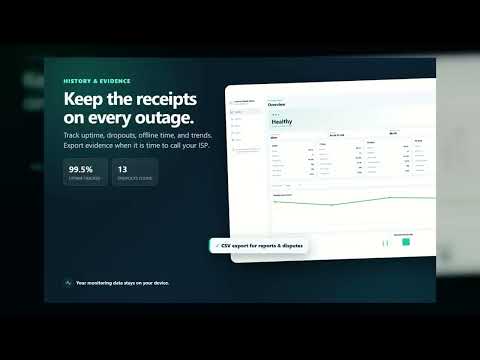
Is your Wi-Fi down, your ISP slow, or just one site offline? Internet Health Check is an outage log + connection monitor with a free speed test — it watches your connection in the background and records every slowdown, dropout, and outage with timestamps. ONE-CLICK ANSWERS (FREE) • Free speed test: ping, download, and upload — right from the popup • Live health score: latency, uptime, dropouts, and total offline time • Outage log: a timestamped timeline of every dropout you can export to CSV • "Is it just me?" check — tells whole-network outages apart from a single site being down • Public IP display with change detection • Custom test endpoint and a latency toolbar badge • Desktop notifications the moment your connection drops or recovers DIG DEEPER WITH THE DASHBOARD • Realtime view: watch latency as it happens • History: a full timeline of outages and unstable periods • Insights: trends that show whether your connection is getting better or worse • Honest by design: periods when the browser is closed are marked as unmonitored, never faked as outages PRIVATE BY DESIGN • No account, no sign-up • No browsing history access — the extension never sees what sites you visit • Your monitoring history stays on your device in local storage • Speed tests run against Cloudflare's public speed test endpoints • Optional anonymous product analytics is off by default and never includes your browsing, monitoring, speed-test, or email content • What leaves your device, and only when you choose it: license activation, opt-in anonymous analytics, and the public-IP lookup WHY THESE PERMISSIONS? • alarms — runs background connection checks on a schedule • storage — keeps your local outage history and settings on your device • notifications — alerts you the moment the connection drops or recovers • Custom test endpoints — adding your own URL asks for access to that site only (optional host permission) No permission is used to read browsing history. Ever. FREE AND PRO Free answers "is it down right now?": speed tests, outage logging, and the "is it just me?" check are all free, with 7 days of history. Pro answers "prove it and automate it": the ISP Evidence Report (a polished outage timeline plus your measured speed vs. your advertised plan), automatic scheduled speed tests with trends, gaming/call session diagnostics (jitter and packet loss), 30/90-day and all-time history, smart pattern insights including recurring evening-trouble detection once several days of data exist, multiple test endpoints, quiet hours, and advanced charts. Every Pro feature is free for 7 days — no card required. Monthly $3 · Yearly $25 (best value) · Lifetime $50. Monthly and Yearly renew until cancelled; cancel anytime to stop the next renewal and keep Pro through the paid period. Payments are non-refundable except where applicable law requires otherwise. PUBLISHER AND PRO PURCHASES Internet Health Check is built by Anh Bui, an independent sole trader developer based in the United Kingdom, trading as anhbui dev. The extension is available on the Chrome Web Store and Microsoft Edge Add-ons. Pro is purchased through the companion website: choose a monthly or yearly subscription, or a one-time Lifetime purchase. Questions about Pro purchases, cancellation, or support: support@anhbui.dev. WHO IT'S FOR Remote workers who need to prove "it's not on my end", gamers and video callers hunting lag spikes, anyone with flaky home internet, Chromebook users who want a lightweight monitor, and IT folks who want connection evidence for ISP calls. Install it, run one speed test, and know in seconds whether your internet is healthy, slow, or down. Questions or feedback: https://internethealthcheck.anhbui.dev/support
0 out of 5No ratings
Details
- Version1.4.0
- UpdatedSeptember 16, 2026
- FeaturesOffers in-app purchases
- Size100KiB
- LanguagesEnglish
- DeveloperWebsite
Email
btanh82@gmail.com - Non-traderThis developer has not identified itself as a trader. For consumers in the European Union, please note that consumer rights do not apply to contracts between you and this developer.
Privacy

Internet Health Check: Connection Monitor & Speed Test has disclosed the following information regarding the collection and usage of your data. More detailed information can be found in the developer's privacy policy.
Internet Health Check: Connection Monitor & Speed Test handles the following:
This developer declares that your data is
- Not being sold to third parties, outside of the approved use cases
- Not being used or transferred for purposes that are unrelated to the item's core functionality
- Not being used or transferred to determine creditworthiness or for lending purposes
Support
For help with questions, suggestions, or problems, visit the developer's support site