


Overview
AI-powered browser extension that intelligently organizes tabs.
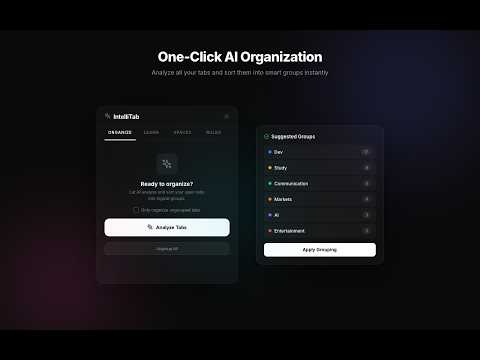
IntelliTab is a next-generation tab manager that uses advanced Large Language Models (LLMs) to intelligently categorize, group, and declutter your browser window in real-time. Whether you're a developer with 50 documentation tabs or a student juggling multiple research projects, IntelliTab restores order with a single click. Standard tab managers require constant manual effort. IntelliTab is designed to be a "Librarian" that understands your intent. By providing the AI with a "SOUL" (a set of core behavioral truths), you can define exactly how your digital workspace should look, and watch as it maintains that standard for you. 1. Install the extension. 2. Enter your Groq API Key in the Options page (Free tier available at console.groq.com). 3. Click "Analyze Tabs" and watch the magic happen. 4. Use the "Ungroup All" button to reset and refine your rules at any time.
5 out of 51 rating
Details
- Version2.1.0
- UpdatedApril 6, 2026
- Size102KiB
- LanguagesEnglish (United States)
- DeveloperWebsite
Email
support@aranish.uk - Non-traderThis developer has not identified itself as a trader. For consumers in the European Union, please note that consumer rights do not apply to contracts between you and this developer.
Privacy

This developer declares that your data is
- Not being sold to third parties, outside of the approved use cases
- Not being used or transferred for purposes that are unrelated to the item's core functionality
- Not being used or transferred to determine creditworthiness or for lending purposes