

IG Analyzer and Unfollower - Mass Unfollowing and Follower Tracker for IG

Overview
Unfollow those who don't follow back, clean up profiles you don't follow back, stalk and compare any profile.
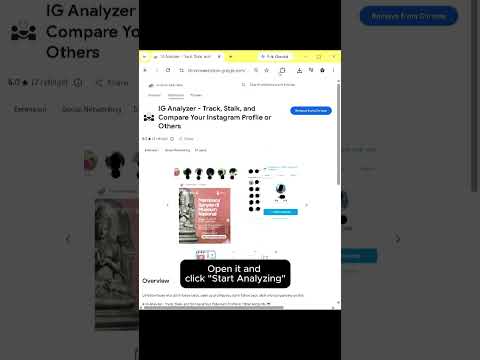
# IG Analyzer - Track, Stalk, and Compare Your Instagram Profile or Other Accounts 🤖 An advanced Instagram network manager to track followers, compare network snapshots, analyze other accounts, and keep your profile optimized by cleaning up non-followers. ## 💡 Features * **👥 Identify Non-Mutuals (I don't follow back / Don't follow me back)**: Instantly identify accounts who don't follow you back or profiles you forgot to follow back. Keep your list perfectly balanced! * **📉 Lost Followers & New Following Tracker**: Monitor your growth trends in real-time. Know exactly who unfollowed you and stay on top of your profile updates. * **⚡ Mass Unfollow & Bulk Follow Automations**: Save hours of manual clicking! Clean up your following feed or follow back profiles in seconds with safe, customizable delay options. * **🔎 Stalk & Compare Other Profiles**: Unlock deep insights into any public profile's network! View their followers, following lists, and compare network snapshots. * **🤝 Mutual Friends Identifier**: Instantly spot your shared connections and mutual friends on any profile to see how you are linked. * **📥 CSV Downloads**: Export all your analysis reports and cleaned lists into a clean `.csv` spreadsheet with just a single click. ## ⚙️ Get Started ### Open the Manager: 1. Open Instagram on your browser and log in to your account. 2. Click the extension icon in your browser toolbar to open the popup. 3. Click the **"Start IG Analyzer"** button. This will open the analysis dashboard. 4. Wait for the extension to fetch your network lists. ### Stalking other accounts: 1. Go to the **Stalk Someone** panel below your stats. 2. Input a target username (excluding your own) and click **Analyze**. 3. View the custom stats row showing their followers, following, mutual friends, and relation status. Support? Email: team.petakpeta@gmail.com Website: https://ig-following-followers-manager.vercel.app/ ## 🔒 Data Privacy Your data privacy is paramount. All data processing occurs locally on your machine – nothing is sent to external servers. Your Instagram credentials and data remain completely private. ## ⚠️ Disclaimer INSTAGRAM is a trademark of Meta Platforms, Inc. IG Analyzer is an independent tool and is not affiliated with, endorsed, sponsored, or otherwise connected to Meta Platforms, Inc., Instagram LLC, or any of their affiliates or subsidiaries. Use at your own risk. We are not responsible for any account restrictions that may occur from using this tool. Please use responsibly and follow Instagram's Terms of Service.
5 out of 57 ratings
Details
- Version2.7.5
- UpdatedAugust 2, 2026
- Size56.14KiB
- LanguagesEnglish (United States)
- DeveloperPetakPetaWebsite
Jl. Gotong Royong I No.14 3 Jakarta Selatan, DKI Jakarta 12140 IDEmail
team.petakpeta@gmail.com - Non-traderThis developer has not identified itself as a trader. For consumers in the European Union, please note that consumer rights do not apply to contracts between you and this developer.
Privacy

This developer declares that your data is
- Not being sold to third parties, outside of the approved use cases
- Not being used or transferred for purposes that are unrelated to the item's core functionality
- Not being used or transferred to determine creditworthiness or for lending purposes
Support
For help with questions, suggestions, or problems, please open this page on your desktop browser