

Inkwell AI — Smart Writing Assistant

Overview
AI writing assistant for any text field. BYO key — Claude, GPT, Gemini, or Ollama. Trains on your voice.
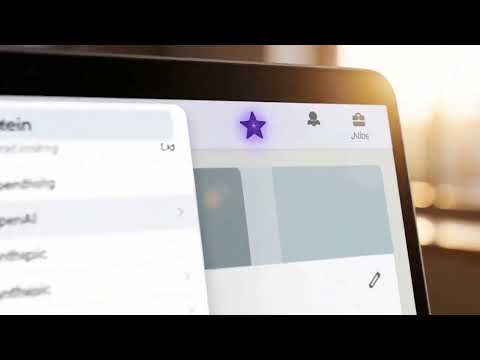
Inkwell AI is a writing assistant that lives anywhere you type on the web. Click the spark button on any text field, right-click selected text, hit a keyboard shortcut, or use the toolbar popup — whichever is fastest for what you're doing. WORKS EVERYWHERE - Gmail (with full thread context for replies) - LinkedIn (knows the post you're commenting on) - X / Twitter (knows the parent tweet) - Google Docs, Notion, web editors - Any text field on any website ONE-CLICK ACTIONS - Improve writing: clearer, tighter, same meaning - Fix grammar and spelling - Make it shorter / Expand - Tone: Professional, Friendly, Casual, Persuasive - Summarize - Draft reply (uses page context) - Translate to English - Custom prompt: tell Inkwell exactly what to do VOICE PROFILE — THE THING THAT MAKES THIS DIFFERENT Most AI writing tools sound like AI. Inkwell doesn't have to. Paste 2–5 of your past emails, posts, or messages into Settings. Click "Extract my voice." Inkwell sends them once to your model and gets back a compact signature describing your sentence rhythm, vocabulary, signature phrases, and what you avoid. That signature is prepended to every future rewrite, reply, and tone change — so output sounds like you, not like a chatbot pretending to be you. You can read and edit the signature directly. Toggle voice on or off any time. BRING YOUR OWN KEY — NO SUBSCRIPTION Inkwell does not have its own subscription. You connect it to an AI provider you already pay for (or want to try): - Claude (Anthropic) - GPT (OpenAI) - Gemini (Google) - Ollama (run models locally on your machine) Switch providers any time from the toolbar popup. Use whichever is best for the task. PRIVACY BY DESIGN - API keys are stored locally in your browser. They are never synced and never leave your device except to call the provider you configured. - Page text is only sent when you explicitly trigger an action — no passive collection, no background scanning. - The extension has no backend. The developer does not receive any of your data, ever. - Use the Ollama provider for fully on-device generation. Nothing leaves your computer. KEYBOARD SHORTCUTS - Ctrl/Cmd + Shift + J: open action menu on the focused field - Ctrl/Cmd + Shift + I: improve the selected text instantly SETUP (TWO MINUTES) 1. Install Inkwell. 2. Click the toolbar icon, then the gear icon. 3. Paste an API key from your provider of choice. 4. Click "Test current provider" to confirm it works. 5. (Recommended) Scroll to Voice Profile, paste 2–5 samples of your past writing, click "Extract my voice." 6. You're done. Try it on the next email you write. HONEST ABOUT WHAT IT ISN'T - Not a Grammarly replacement for real-time inline corrections. Inkwell is action-triggered, not always-on. - Not free of API costs — you pay your chosen provider directly for what you use. Cost is typically pennies per day for a heavy user. - Google Docs canvas mode has limited support; Gmail and standard text fields work great. BUILT FOR PEOPLE WHO WRITE A LOT Engineers, founders, sales reps, PMs, students, anyone who lives in their inbox or sends a lot of messages. If you've ever rewritten the same email three times, Inkwell saves you that loop.
0 out of 5No ratings
Details
- Version0.2.0
- UpdatedMay 6, 2026
- Offered byseal2866
- Size30.89KiB
- LanguagesEnglish (United States)
- Developer
Email
Seal2866@gmail.com - Non-traderThis developer has not identified itself as a trader. For consumers in the European Union, please note that consumer rights do not apply to contracts between you and this developer.
Privacy

Inkwell AI — Smart Writing Assistant has disclosed the following information regarding the collection and usage of your data. More detailed information can be found in the developer's privacy policy.
Inkwell AI — Smart Writing Assistant handles the following:
This developer declares that your data is
- Not being sold to third parties, outside of the approved use cases
- Not being used or transferred for purposes that are unrelated to the item's core functionality
- Not being used or transferred to determine creditworthiness or for lending purposes