


Overview
Automatically removes UTM tracking parameters from web links, including URLs opened from chat, email or the address bar.
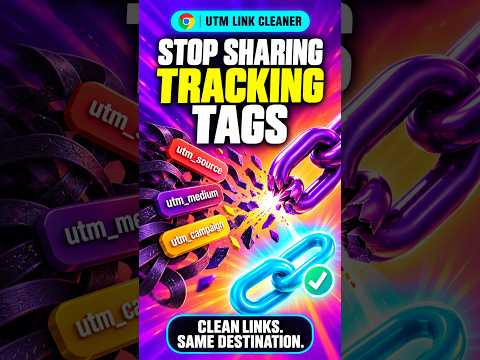
Clean links. Same destination. Stop sharing links stuffed with UTM tracking tags. UTM Link Cleaner automatically removes utm_source, utm_medium, utm_campaign and other utm_ parameters while keeping useful details such as product IDs, search terms and page anchors. Install it once. Reload your existing tabs, then open links normally. No manual URL editing. BEFORE https://example.com/article?id=42&utm_source=newsletter&utm_medium=email&utm_campaign=autumn&utm_custom=remove_this#details AFTER https://example.com/article?id=42#details WHAT IT CLEANS • Standard UTM fields: source, medium, campaign, term, content and ID. • Custom utm_ fields, repeated parameters and mixed-case names. • Clicked web links, links opened from chat or email, pasted addresses and bookmarks. • Incoming UTM URLs reached through normal server redirects. WHAT STAYS Product IDs, search terms, non-UTM parameters, their original escaping and page anchors stay in place. Normal same-tab clicks, new tabs, middle-clicks and keyboard links keep working. PRIVATE BY DESIGN All URL processing happens locally. No accounts, analytics, browsing logs, data collection or calls to developer services. Scripts are packaged with the extension; no remote code is used. The extension does not add affiliate tags or other tracking fields. HOW IT WORKS Clicked links are cleaned locally on pages where you allow website access. Incoming top-level HTTP(S) GET navigations use a packaged local cleaning page to remove UTM fields before requesting the destination. You may briefly see “Cleaning link…” when opening an incoming link. The cleaning page replaces itself with the final destination without adding an extra Back-button step. WHY IT NEEDS WEBSITE ACCESS Links can appear on or lead to any website. HTTP and HTTPS site access lets the extension edit web links and lets Chrome apply the incoming-navigation rule. Restrict access or disable the extension at any time through chrome://extensions. PLEASE KNOW This removes UTM fields; it does not block every form of tracking. Non-UTM fields such as gclid, fbclid and affiliate tags remain. Cookies, website accounts and other tracking methods can still operate. Nested URLs inside parameters are not rewritten. POST submissions, non-HTTP(S) destinations and history-only address changes are not intercepted. Some protected pages cannot run the page-click cleaner; normal outgoing top-level web navigation can still be cleaned where Chrome grants site access. GETTING STARTED AND HELP Reload existing tabs after installation to activate the page-click cleaner. Open Extension options for help and the packaged privacy policy. Works alongside Amazon Link Cleaner. Publisher: Glass Dagger Labs Support: help@markoneill.org
0 out of 5No ratings
Details
- Version1.0.2
- UpdatedOctober 25, 2026
- Size22.79KiB
- LanguagesEnglish
- DeveloperWebsite
Email
mark@markoneill.org - Non-traderThis developer has not identified itself as a trader. For consumers in the European Union, please note that consumer rights do not apply to contracts between you and this developer.
Privacy

This developer declares that your data is
- Not being sold to third parties, outside of the approved use cases
- Not being used or transferred for purposes that are unrelated to the item's core functionality
- Not being used or transferred to determine creditworthiness or for lending purposes
Support
For help with questions, suggestions, or problems, please open this page on your desktop browser