


Overview
Privacy-first Gmail cleanup wizard — scan, archive, trash, and create safe rules locally.
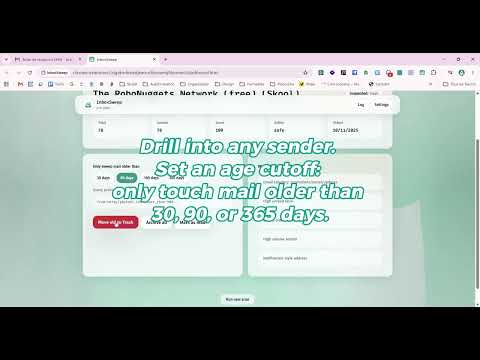
InboxSweep helps you reclaim your Gmail inbox without fear. WHAT IT DOES • Scans Gmail metadata locally to find noisy senders • Groups newsletters, promotions, and old notifications • Suggests safe cleanup actions with a clarity score • Bulk archive, move to Trash (not permanent delete), mark as read • Create Gmail filters to block future clutter • Protect important senders and domains • Dry-run preview before every bulk action — nothing runs until you confirm PRIVACY • Runs entirely in your browser • No email content sent to InboxSweep servers • No ads, no data resale, no AI reading your inbox • Scan results and settings stay in chrome.storage.local on your device HOW IT WORKS 1. Connect Gmail via Google OAuth (we explain every permission first) 2. Pick a cleanup goal (newsletters, storage, promos, etc.) 3. Review sender groups and safety scores 4. Preview exactly what will change in a dry-run 5. Confirm to archive, trash, mark read, or create filters PRICING Free to install with generous limits. Optional one-time upgrades (Personal $19 · Pro $39) via Lemon Squeezy license key — payments happen on Lemon Squeezy’s hosted checkout, not inside Gmail. PERMISSIONS EXPLAINED • Gmail access — scan sender metadata and apply cleanup actions you confirm • Storage — save settings, protected senders, scan cache, and action logs locally • Tabs — open unsubscribe links in a new tab when you choose IMPORTANT InboxSweep moves mail to Trash; it does not permanently delete messages. You can recover trashed mail in Gmail. Starred, important, and recent mail are protected by default. Support: see the support URL on this listing. Privacy: see the privacy policy URL on this listing.
0 out of 5No ratings
Details
- Version0.1.0
- UpdatedJune 16, 2026
- FeaturesOffers in-app purchases
- Size340KiB
- LanguagesEnglish (United States)
- DeveloperWebsite
Email
bratakteam@gmail.com - Non-traderThis developer has not identified itself as a trader. For consumers in the European Union, please note that consumer rights do not apply to contracts between you and this developer.
Privacy

InboxSweep has disclosed the following information regarding the collection and usage of your data. More detailed information can be found in the developer's privacy policy.
InboxSweep handles the following:
This developer declares that your data is
- Not being sold to third parties, outside of the approved use cases
- Not being used or transferred for purposes that are unrelated to the item's core functionality
- Not being used or transferred to determine creditworthiness or for lending purposes
Support
For help with questions, suggestions, or problems, visit the developer's support site