Item logo image for catm

catm

ExtensionTools1 user
Item media 6 (screenshot) for catm
Item video thumbnail
Item media 2 (screenshot) for catm
Item media 3 (screenshot) for catm
Item media 4 (screenshot) for catm
Item media 5 (screenshot) for catm
Item media 6 (screenshot) for catm
Item video thumbnail
Item media 2 (screenshot) for catm
Item media 3 (screenshot) for catm
Item media 4 (screenshot) for catm
Item media 5 (screenshot) for catm
Item media 6 (screenshot) for catm

Overview

On-device long-form text-to-speech in a side panel. Right-click → Read page.

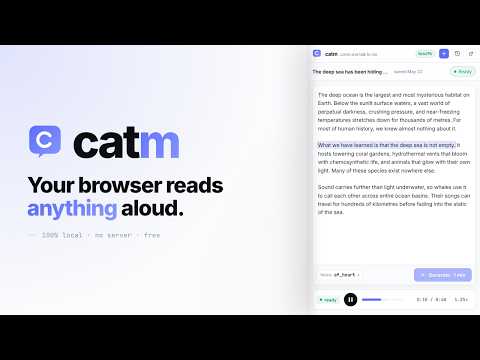
catm reads long-form text out loud, right inside your browser. Synthesis runs locally on your machine — no servers, no accounts, no telemetry. Text you select never leaves the browser. How it works ———————————— 1. Select any text on any page. 2. Right-click → "Read it to me". 3. The side panel opens and starts reading. What's in the side panel ———————————————————————— • Four natural voices, previewable in one click before you commit. • Audio plays as it's generated — start listening within seconds of hitting Generate; the rest streams in as you go. • Text highlights along with the voice, so you can follow or skim. • Playback controls: pause, scrub, 0.75× – 2× speed. • A library of past readings, stored locally. Open old reads instantly. • Pop the panel out into a full tab when you want a wider reading view. How the privacy story holds up —————————————————————————————— • The Kokoro 82M TTS model downloads once into your browser cache (~310 MB) and runs via ONNX Runtime Web (WebGPU when available, WebAssembly fallback). Subsequent reads work fully offline. • Audio is encoded locally to fragmented MP4 and stored in OPFS — the browser's private file system for this extension alone. • No external scripts, no analytics, no remote requests after the first model download. Permissions ——————————— • contextMenus — adds the "Read it to me" entry to the right-click menu. • storage — saves your voice choice and onboarding flag. • sidePanel — opens the reader in Chrome's side panel. Free and open source. MIT licensed. Source: github.com/catm-app/catm-app.github.io Privacy policy: catm-app.github.io/privacy.html

Details

  • Version
    0.2.11
  • Updated
    June 3, 2026
  • Offered by
    Al Brown
  • Size
    6.36MiB
  • Languages
    English
  • Developer
    Email
    darkwinglabs@gmail.com
  • Non-trader
    This developer has not identified itself as a trader. For consumers in the European Union, please note that consumer rights do not apply to contracts between you and this developer.

Privacy

Manage extensions and learn how they're being used in your organization
The developer has disclosed that it will not collect or use your data. To learn more, see the developer’s privacy policy.

This developer declares that your data is

  • Not being sold to third parties, outside of the approved use cases
  • Not being used or transferred for purposes that are unrelated to the item's core functionality
  • Not being used or transferred to determine creditworthiness or for lending purposes
Google apps