


Overview
Capture screenshots from any video player on any website. Supports cross-origin iframes and video streams.
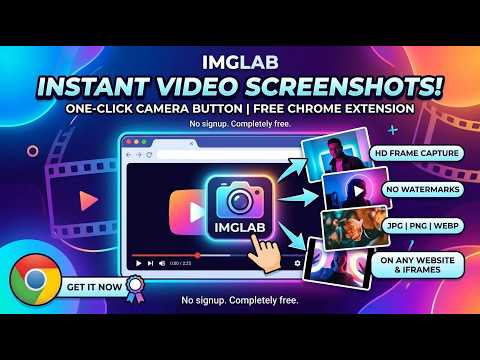
📸 IMGLAB Video Screenshot — Capture Any Video Frame, Instantly IMGLAB Video Screenshot adds a camera button to every video on every website. Click it — or press a keyboard shortcut — to instantly save the current frame as a high-quality image. No editing software needed. No complicated steps. ✨ KEY FEATURES - One-click camera button that appears on hover over any video - Keyboard shortcut (default: Ctrl+G) — customizable to any key combination - Supports cross-origin iframes and embedded video players - Save as JPEG, WebP, or PNG - Adjustable quality slider (10–100%) - Button position: Top Left, Top Right, Bottom Left, or Bottom Right - Smart video picker — targets the most relevant video on screen - Minimum video size filter — ignores tiny thumbnails - Block List — disable on specific sites 🔒 PRIVACY FIRST - No data collection — ever - No analytics, no tracking, no third-party connections - All processing happens locally in your browser - Screenshots saved directly to your device 📋 HOW TO USE 1. Install and click "Allow on all sites" when prompted 2. Visit any webpage with a video 3. Hover over the video — a camera button appears 4. Click the button or press Ctrl+G to save the frame 5. Image is saved to your Downloads folder Made by IMGLAB — imglab.net
5 out of 53 ratings
Details
- Version1.3.3
- UpdatedMarch 23, 2026
- Size63.83KiB
- LanguagesEnglish
- DeveloperWebsite
Email
support@imglab.net - Non-traderThis developer has not identified itself as a trader. For consumers in the European Union, please note that consumer rights do not apply to contracts between you and this developer.
Privacy

This developer declares that your data is
- Not being sold to third parties, outside of the approved use cases
- Not being used or transferred for purposes that are unrelated to the item's core functionality
- Not being used or transferred to determine creditworthiness or for lending purposes
Support
For help with questions, suggestions, or problems, please open this page on your desktop browser