

ImageFlip – Image Converter & Compressor
1 rating
)
Overview
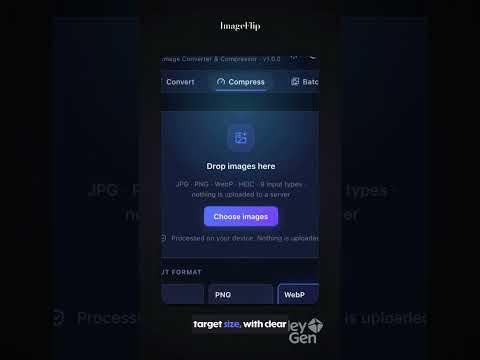
Convert JPG, PNG, WebP and HEIC images and compress them to a smaller size. Batch, ZIP, and 100% on-device — no uploads.
ImageFlip is a private image converter and compressor that works entirely on your device. Convert JPG to PNG, PNG to WebP, WebP to JPG and HEIC to JPG, shrink file sizes, and download everything as a ZIP. Your images are never uploaded anywhere. There are no accounts and no analytics. Convert and compress images privately: JPG, PNG, WebP and HEIC. Batch, ZIP, right-click. No uploads, no accounts. WHAT YOU CAN DO - Convert images between JPG, PNG and WebP - Open HEIC photos (from iPhone) and convert them to JPG, PNG or WebP - Compress images with a quality slider to reduce file size - Convert many images at once, with per-file progress and the option to retry any that fail - Download files one by one or together as a single ZIP - Right-click any image on a web page and choose "Convert image with ImageFlip" - Resize images while converting PRIVATE BY DESIGN - All processing happens locally in your browser. Nothing is uploaded. - No sign-up, no tracking, no analytics. - Converted files are always re-encoded, so EXIF and GPS location data from the original is not carried into the output. HONEST RESULTS - If re-compressing would not make a file meaningfully smaller, ImageFlip keeps the original and tells you, instead of showing fake savings. - Animated PNG, WebP and GIF files are detected and skipped, so you never lose frames by accident. You can choose to convert only the first frame. - Formats are detected from the file contents, not the extension, so a renamed file is handled correctly. - PNG is lossless, so the quality slider does not apply to it. IMAGEFLIP PRO (ONE-TIME PURCHASE) Everything above is free, including conversion, compression, batch processing, ZIP download and right-click conversion. Pro is an optional one-time purchase of $9.99. It is never a subscription. It adds: - Compress to an exact target file size - Batches of up to 200 images - Advanced resize modes - Saved presets Nothing related to privacy is ever behind the paywall. AVAILABLE IN 11 LANGUAGES English, Deutsch, Français, Español, Italiano, Nederlands, Dansk, Norsk, 日本語, 한국어 and עברית. The language follows your browser's language setting. LIMITS - HEIC output is not supported (HEIC input is). - Very large images (over 40 MB or 80 megapixels) are refused or confirmed first, because browsers cannot process them reliably.
5 out of 51 rating
Details
- Version1.0.0
- UpdatedOctober 16, 2026
- Offered byserif.geyik
- Size476KiB
- Languages11 languages
- Developerthyatiracode
Hürriyet, Akhisar Çevre Yolu Akhisar, Manisa 45200 TREmail
thyatiracode@gmail.com - Non-traderThis developer has not identified itself as a trader. For consumers in the European Union, please note that consumer rights do not apply to contracts between you and this developer.
Privacy

This developer declares that your data is
- Not being sold to third parties, outside of the approved use cases
- Not being used or transferred for purposes that are unrelated to the item's core functionality
- Not being used or transferred to determine creditworthiness or for lending purposes
Support
For help with questions, suggestions, or problems, please open this page on your desktop browser