


概述
Easily resize, optimize, and convert images directly from your browser with our lightweight Image Resizer extension.
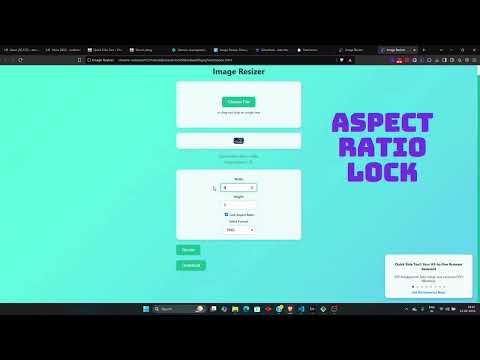
Image Resizer is a fast, easy-to-use Chrome extension that lets you resize images directly from your browser. Whether you need to adjust an image for social media, a website, or any other use, this tool makes the process effortless. 🔹 Key Features: ✔ Easy Image Upload – Drag and drop or select images from your computer. ✔ Custom Resize Options – Set width and height manually with an optional aspect ratio lock. ✔ Preview Before Download – See the resized image before saving it. ✔ Fast & Lightweight – Resize images instantly without leaving your browser. ✔ Privacy-Focused – All processing is done locally, ensuring your images remain secure. 🚀 Why Choose Image Resizer? ✅ User-Friendly Interface – Simple and intuitive, perfect for beginners and professionals. ✅ No Internet Required – Works offline; no data is sent to external servers. ✅ Completely Free – No hidden fees or subscriptions. 📌 How to Use: 1️⃣ Click the Image Resizer icon in your Chrome toolbar. 2️⃣ Upload an image via drag-and-drop or file selection. 3️⃣ Enter the desired width and height, then click Resize. 4️⃣ Preview the resized image and download it instantly. ✨ Discover More – Quick Side Tool Looking for more productivity tools? Check out Quick Side Tool – an all-in-one extension for PDF management, image optimization, and more! 📩 Support & Feedback Need help or have suggestions? Contact us at amanry3000@gmail.com. 🔗 Get started today and resize your images with ease!
4.8 星(5 星制)4 个评分
详情
隐私权
该开发者已声明,您的数据:
- 不会因未获批准的用途出售给第三方
- 不会为实现与产品核心功能无关的目的而使用或转移
- 不会为确定信用度或放贷目的而使用或转移
支持
若有任何疑问、建议或问题,请在桌面浏览器中打开此页面