


總覽
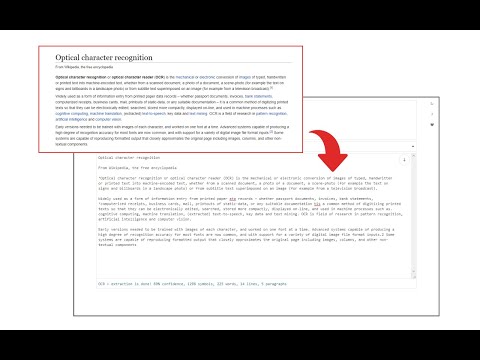
Easily get words out of an image with OCR engine!
Image Reader (OCR) extension helps you easily get words out of any image. It uses two different open-source OCR engines. The 1st engine is called Tesseract. Tesseract.js is an open-source JavaScript library and is made via an Emscripten port of the famous Tesseract OCR Engine written in C and C++. Please visit (https://github.com/naptha/tesseract.js) to get more info. The 2nd engine, called Granite Docling, is developed by IBM (https://huggingface.co/ibm-granite/granite-docling-258M). Please note that when you choose IBM Granite Docling, the app needs to download training data (~1200MB) for the AI engine. So please be patient while it is loading. To work with this addon, simply open the addon's interface and load your image via the file selector (top section). Before using the addon, please make sure to select the appropriate OCR engine and language. For Tesseract, the default OCR language is set to English. For Granite Docling, you do not need to set a language; just select the desired backend (CPU or GPU) and wait for the app to load completely. Note: For the Tesseract OCR engine, this addon uses the "https://github.com/naptha/tessdata/tree/gh-pages/" GitHub repo to fetch language data required for the OCR operation. For the IBM Granite Docling, it uses "https://huggingface.co/onnx-community/granite-docling-258M-ONNX" to fetch training data required for the OCR operation. Both language data packs are very large and cannot be included in the addon package. To report bugs, please fill out the bug report form on the extension's homepage (https://mybrowseraddon.com/image-reader.html).
3.6 分 (滿分 5 分)27 個評分
詳細資料
- 版本0.2.0
- 已更新2025年11月10日
- 提供者Sevina
- 大小13.19MiB
- 語言English
- 開發人員
電子郵件
sevina.lucia@gmail.com - 非交易商這位開發人員並未表明自己是交易商。歐盟地區的消費者請注意,消費者權利不適用於你和這位開發人員之間簽訂的合約。
隱私權
這位開發者就你的資料做出下列聲明:
- 除經核准的用途外,不會將你的資料販售給第三方
- 不會基於與商品核心功能無關的目的,使用或轉移資料
- 不會為了確認信用度或基於貸款目的,使用或轉移資料
支援
如有疑問或建議,請前往開發人員的支援網站