


Descripción general
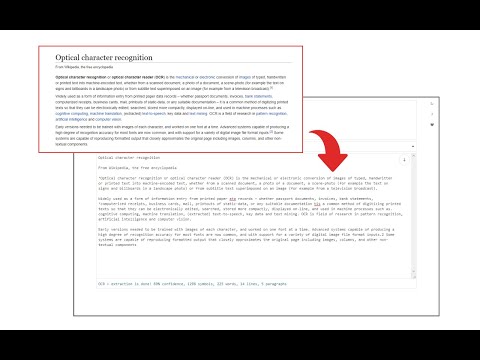
Easily get words out of an image with OCR engine!
Image Reader (OCR) extension helps you easily get words out of any image. It uses two different open-source OCR engines. The 1st engine is called Tesseract. Tesseract.js is an open-source JavaScript library and is made via an Emscripten port of the famous Tesseract OCR Engine written in C and C++. Please visit (https://github.com/naptha/tesseract.js) to get more info. The 2nd engine, called Granite Docling, is developed by IBM (https://huggingface.co/ibm-granite/granite-docling-258M). Please note that when you choose IBM Granite Docling, the app needs to download training data (~1200MB) for the AI engine. So please be patient while it is loading. To work with this addon, simply open the addon's interface and load your image via the file selector (top section). Before using the addon, please make sure to select the appropriate OCR engine and language. For Tesseract, the default OCR language is set to English. For Granite Docling, you do not need to set a language; just select the desired backend (CPU or GPU) and wait for the app to load completely. Note: For the Tesseract OCR engine, this addon uses the "https://github.com/naptha/tessdata/tree/gh-pages/" GitHub repo to fetch language data required for the OCR operation. For the IBM Granite Docling, it uses "https://huggingface.co/onnx-community/granite-docling-258M-ONNX" to fetch training data required for the OCR operation. Both language data packs are very large and cannot be included in the addon package. To report bugs, please fill out the bug report form on the extension's homepage (https://mybrowseraddon.com/image-reader.html).
3.6 de 527 calificaciones
Detalles
- Versión0.2.0
- Fecha de actualización10 de noviembre de 2025
- Ofrecido porSevina
- Tamaño13.19MiB
- IdiomasEnglish
- Desarrollador
Correo electrónico
sevina.lucia@gmail.com - No comercianteEl desarrollador no se identificó como comerciante. Si eres un consumidor de la Unión Europea, ten en cuenta que los derechos de los consumidores no aplican a los contratos entre el desarrollador y tú.
Privacidad
Este desarrollador declara el siguiente tratamiento de tus datos:
- No se venden a terceros, excepto en los casos de uso aprobados
- No se utilizan ni transfieren para fines no relacionados con la funcionalidad principal del elemento
- No se utilizan ni transfieren para determinar tu solvencia ni ofrecer préstamos
Asistencia
Si tienes preguntas, sugerencias o problemas, visita el sitio de asistencia del desarrollador