

Image Harvest - Download Any Image from Any Webpage

Обзор
Batch download images. Multi-tab extract, AI tagging, Eagle export, similar detection, reverse search, collections, color extract.
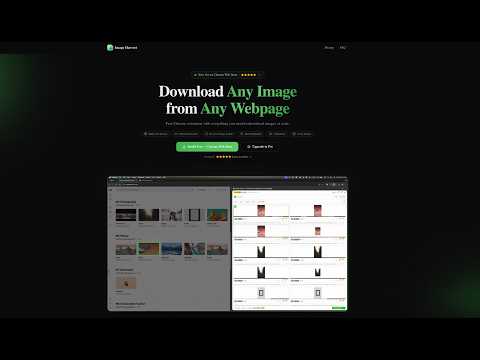
🔍 Smart Image Extraction Automatically finds every image on any webpage — including standard images, CSS backgrounds, responsive images, and high-resolution variants. Scans deep into Shadow DOM and iframes for complete coverage. Live monitoring detects new images as you scroll (Pro). 🎛️ Powerful Filtering & Sorting Filter by size (Small/Medium/Large/XL/Custom), format (JPG/PNG/WebP/SVG/GIF), layout (Square/Landscape/Portrait/Panorama), or URL keywords. Smart grouping by Domain, Format, Size Range, or Tab (Pro). Sort by size, format, or natural order. 📥 Batch Download Images Download individual images or batch download multiple images as a single ZIP file. Track download progress with a visual progress bar. 🌐 Multi-Tab Extract Extract images from multiple browser tabs at once. No need to switch tabs one by one — scan all open tabs simultaneously and download everything in one go. Perfect for research, shopping, or content curation across multiple pages. 🔎 Similar Image Detection Automatically detect and group visually similar images using advanced perceptual hashing. Avoid downloading duplicates or near-identical variants. Saves time and storage by identifying redundant images before you download. 🔍 Reverse Image Search Find where else an image appears online. Free users can search via Google Images. Pro users unlock 4 search engines: Google Images, TinEye, Baidu, and Yandex — giving you comprehensive coverage to track image usage, find higher resolutions, or verify authenticity. ✨ Batch Highlight Select multiple images in the panel to highlight them all on the webpage simultaneously. Auto-scrolls to each highlighted image so you can quickly locate and verify them on the page. Ideal for reviewing large batches before downloading. ⭐ Image Collections Save your favorite images to a local collection with custom tags and notes. Browse, search, and filter your saved images anytime. Batch export entire collections as ZIP files. Build your personal image library without leaving your browser. 🎨 Color Extract Automatically extract the top 5 dominant colors from each image. View color palettes directly in the panel. Pro users can copy HEX color codes for design work, branding analysis, or creative projects. 🤖 AI Image Tagging Generate smart tags for any image using AI — instantly know what's in each image without opening it. Tag individual images or batch-tag your entire selection at once. Filter and search images by their AI-generated tags. 🦅 Export to Eagle Send images directly to Eagle — the popular design asset management app. Each export includes the image, metadata, AI tags, and source URL so your Eagle library stays organized. Batch export all selected images at once. exports. ⚡ Batch Operations Select multiple images and perform actions in bulk: batch favorite (add to collection), batch AI tag, and batch delete. No more one-by-one clicking — streamline your workflow when dealing with large image sets. 🌍 15 Languages Supported Fully translated into 15 languages: English, 简体中文, 繁體中文, 日本語, Español, 한국어, Português, Français, Deutsch, Italiano, Русский, Nederlands, Polski, العربية, ไทย. Auto-detects your browser language — no manual setup needed. 🔒 Privacy First Image Harvest processes everything locally in your browser. No images, URLs, or personal data ever leave your device. Optional anonymous usage statistics (event counts only — no URLs, no images, no identifiers) can be enabled in Settings → Help Improve; off by default. ⌨️ Keyboard Shortcuts Ctrl+Shift+S (Cmd+Shift+S on Mac): Toggle Image Harvest 🌐 Website: https://image-harvest.kyriewen.cn 📧 Support: support@kyriewen.cn
5 из 51 оценка
Подробности
- Версия1.0.8
- Обновлено14 июня 2026 г.
- ВозможностиЕсть платный контент.
- Размер972KiB
- ЯзыкиПоддерживаемых языков: 14
- РазработчикСайт
Электронная почта
support@kyriewen.cn - Не продавецРазработчик не указал для себя статус продавца. Просим клиентов из Европейского союза обратить внимание, что на сделки между вами и этим разработчиком не распространяются законы о защите прав потребителей.
Конфиденциальность

Этот разработчик утверждает, что ваши данные:
- Не продаются третьим лицам, за исключением разрешенных вариантов использования
- Не используются и не передаются в целях, не связанных с работой основных функций продукта
- Не используются и не передаются для определения платежеспособности или в целях кредитования
Поддержка
Чтобы сообщить об ошибках в работе продукта, задать вопрос или поделиться идеями, откройте эту страницу в браузере для компьютера.