

Sanctum

Overview
Blocks configured adult domains and redirects protected browsing to a Sanctum page.
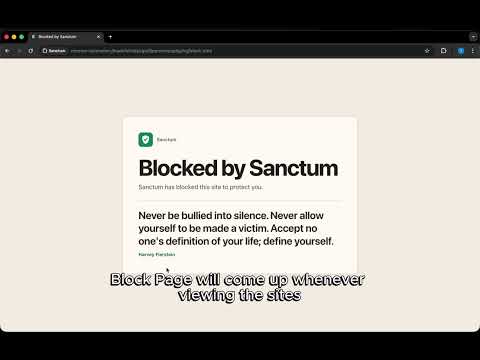
Sanctum is a Chrome extension that helps you avoid adult content by blocking known adult domains and letting you add your own sites to a locked list. When a blocked site is opened, Sanctum redirects it to a calm block page with a quote and a clear reminder to leave. There is no continue button, pause switch, or quick bypass inside the extension. If you want a domain blocked, you can add it from the popup, including the site you are currently on. Install Sanctum if you want a simple extra barrier between you and porn. It will not block every adult site on the internet, but it covers many common domains and gives you a way to keep adding more as you find them. It is built to be simple, private, and hard to casually ignore.
0 out of 5No ratings
Details
- Version1.0.1
- UpdatedJune 25, 2026
- Offered byBetter Path Studio
- Size1.29MiB
- LanguagesEnglish (United Kingdom)
- Developer
Email
sanctum.support@gmail.com - Non-traderThis developer has not identified itself as a trader. For consumers in the European Union, please note that consumer rights do not apply to contracts between you and this developer.
Privacy

Sanctum has disclosed the following information regarding the collection and usage of your data. More detailed information can be found in the developer's privacy policy.
Sanctum handles the following:
This developer declares that your data is
- Not being sold to third parties, outside of the approved use cases
- Not being used or transferred for purposes that are unrelated to the item's core functionality
- Not being used or transferred to determine creditworthiness or for lending purposes
Support
For help with questions, suggestions, or problems, visit the developer's support site