


Overview
Send one personalised email to a list, from your own Gmail. No account and no server: your list never leaves your browser.
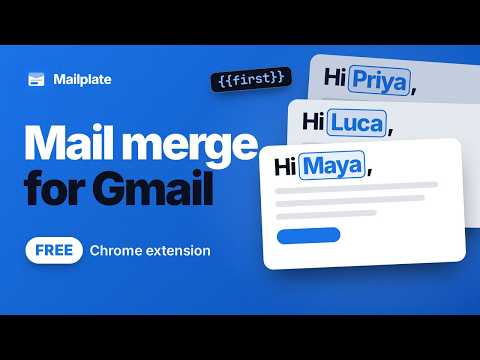
Send one personalised email to a list of people, from your own Gmail, paced so it reads like you typed it. There is no account and no server: your list never leaves your browser. Most mail merge tools ask you to create an account and upload your list. Mailplate has nowhere to send it. Your people, your templates and your campaigns live in your browser, and the only thing that leaves your machine is the mail itself, going to Gmail. WHAT IT DOES - Merges your own columns into one message. Not just first name and company: add the fields your business actually has, and drop them into the subject or the body. - Paces the send. A daily limit, the hours you choose, the days you choose, and a random gap between messages, so forty emails do not go out at 9:00:00. - Sends from your own Gmail. The reply comes back to your inbox, in the thread, like any other email. - Drops a designed email into the Gmail compose window. Press the Templates button, or type two semicolons. Use one of the built-in designs or paste your own HTML. - Keeps a lead book. Import a CSV, map the columns, and everyone you have lives in one place instead of scattered across spreadsheets. - Cc and Bcc on every message in a campaign, and sending from a verified alias. - A suppression list that every import checks, so somebody who asked to stop cannot be added back by a fresh file. - Adds a proper plain text version and an unsubscribe header Gmail recognises, so recipients get an unsubscribe control instead of reaching for Report Spam. NO LIMIT OF OUR OWN Mailplate does not cap you. Gmail allows 500 recipients a day on a free account and 2,000 on Google Workspace, and that is the only ceiling there is. WHAT IT DOES NOT DO It cannot see replies or bounces. That needs permission to read your mail, and this asks for one that can only send. It does not track opens or clicks. That means a tracking pixel in every message, and the person receiving it did not agree to be followed. It only sends while your browser is open, because there is no server running it for you. ONE PERMISSION Mailplate asks for one Gmail permission: the one that sends mail. It cannot read a single message in your mailbox. You can see this on Google's consent screen when you connect, and in the source, which ships readable. Works in Chrome, Edge and Brave.
0 out of 5No ratings
Details
- Version2.0.0
- UpdatedOctober 12, 2026
- Size123KiB
- LanguagesEnglish
- DeveloperYOSHI BANSALWebsite
B-2 Keshav Puram 39D Delhi, Delhi 110035 INEmail
listen@heyyoshi.inPhone
+91 88268 32231 - TraderThis developer has identified itself as a trader per the definition from the European Union and committed to only offer products or services that comply with EU laws.
Privacy

Mailplate: Mail Merge for Gmail has disclosed the following information regarding the collection and usage of your data. More detailed information can be found in the developer's privacy policy.
Mailplate: Mail Merge for Gmail handles the following:
This developer declares that your data is
- Not being sold to third parties, outside of the approved use cases
- Not being used or transferred for purposes that are unrelated to the item's core functionality
- Not being used or transferred to determine creditworthiness or for lending purposes