

Screen Recorder and Screenshot Tool for Chrome

نمای کلی
Screen recorder and screen capture tool, free and easy to use. Take screenshots or screen recordings, edit, download, and share.
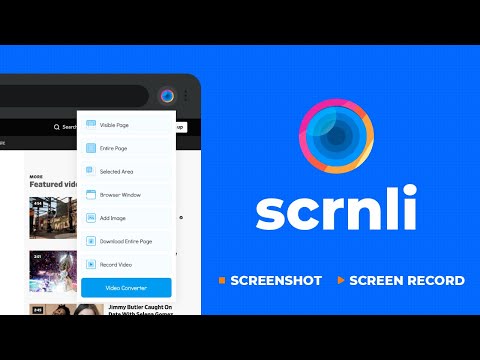
A screenshot and screen record tool with extended functionality that includes lots of features related to content creation. Scrnli also includes a screen recorder and video converter into multiple formats. The screen recorder works to create a video file with further opportunities to download or share it promptly. Easily cooperate with teammates or family by sharing video content to clearly explain materials and information. Record from your display monitor or webcam, save it and share with convenience using applications that combine as well a screenshot tool and video formats converter. Video file converter, therefore, allows changing video format to run the same video on other devices. The most common formats are available in the Scrnli video converter. Do as written: record the screen, then save it to a device for later watching or share it with friends. As well, as the option to convert files to various formats to open them on other devices. The creation of screen capture is as easy as it ever could be. Choose from the full-page or partial area and take it in a click. Then you can fully customize it by adding text, drawing lines, arrows, and shapes. Instantly share the files by a link, save them, or print them to get paper materials. The main advantage of the Scrnli Tool is that features for content creation are gathered in one place which is reached by a single click in a browser. It's an advanced service for every day working with screenshots, recording, and video file converting that can be shared, printed, or saved fast, easily, and with quality. Scrnli tool for making a full page or partial capture with further editing, download, or text adding. The #1 app to make a full webpage capture or just any part of it with an opportunity to edit, save, and download screenshots to your PC. The app is launched from a browser that saves your time. Simply click the extension icon to choose from options whole page capture or a selected part. Lots of features at your disposal allow you to: - edit and reset changes; - make one step back/forward; - add text and graphic elements like a pointer, arrow, circle, and others. The useful and friendly design of Scrnli was made to reach the required screens quickly, so you can share them with colleagues or friends during work. To avoid long descriptions in chatting just take a screenshot and send it to the address. You can use the service of any website absolutely for free using our app.
۴٫۷ از ۵۱۰٫۱ هزار ردهبندی
جزئیات
- نسخه4.3.5
- تاریخ بهروزرسانی۱۱ بهمن ۱۴۰۴
- اندازه6.1MiB
- زبانها۲۲ زبان
- توسعهدهندهوبسایت
ایمیل
roslabikeryma@gmail.com - غیرتاجراین توسعهدهنده خودش را بهعنوان فروشنده معرفی نکرده است. اگر مصرفکنندهای در اتحادیه اروپا هستید لطفاً توجه داشته باشید که حقوق مصرفکننده برای قراردادهای میان شما و این توسعهدهنده اعمال نمیشود.
حریم خصوصی

این توسعهدهنده اعلام میکند که دادههای شما
- خارج از موارد استفاده تأییدشده، به اشخاص ثالث فروخته نمیشود
- برای اهداف نامرتبط با عملکرد اصلی مورد استفاده یا منتقل نمیشود
- برای تعیین اعتبارمندی یا برای اهداف وامدهی استفاده یا منتقل نمیشود