

Tab Butler - A full-featured Tab Manager

개요
A tab manager at your service.
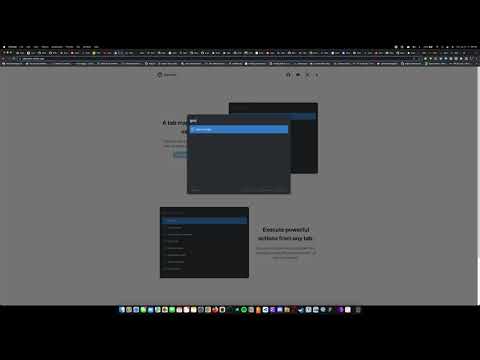
Note: This is a beta release. The full product will be launched on in early 2023. NEW FEATURE: Tab History Modal! You can now press Ctrl + Shift + H to search through your most recent history from any tab! Meet Tab Butler - your all-in-one productivity assistant designed to improve the way you use your browser. With one shortcut, you can now search through all your open tabs with ease and switch to any of them with a single key press or click. You can also perform powerful actions from any tab, allowing you to remember only one easy shortcut instead of multiple difficult ones. Tab Butler is designed to help you get the most out of your browser and increase your productivity to new levels like never before. With Tab Butler, you can transform your browsing experience for good and find what you want, when you want it. FEATURES: - Search and switch to your wanted tab with incredible ease - Search through you most recent history like never before - Pin, close, and mute your tabs right from any tab - Filter tabs based on certain properties (muted, pinned, playing audio) for quicker access - Perform various browser actions from any tab COMING SOON: - Updated UI - Web Searching right from any tab - Browse your history and bookmarks from any tab - More powerful l and personalized actions And so much more! HOW TO USE TAB BUTLER: - To toggle the Tab Search Modal to search your open tabs, press Cmd + Shift + Space (Ctrl + Shift + Space on Windows and Linux). - To toggle the Tab Action Modal to execute actions, press Option + Shift + Space (Alt + Shift + K on Windows and Linux). - To toggle the Tab History Modal to search through your recent history, press Ctrl + Shift + H. - In the Tab Search Modal, type: - “\pinned” to get all the pinned tab - “\muted” to get all muted tabs - “\audible” to get all tabs getting audio If you would like to provide any feedback, report an issue, or request a feature, please feel free to leave us a review or use this form: https://forms.gle/LTXYy9XqbBYu6ZLQA Tab Butler is a proud open-source project. If you would like to contribute to Tab Butler, please head over to https://github.com/MItchellMarkGeorge/TabButler
5점 만점에 0점평점 없음
세부정보
- 버전1.0.0-beta.4
- 업데이트됨2022년 10월 28일
- 제공Mitchell Mark-George
- 크기75.08KiB
- 언어English
- 개발자
이메일
mitchellmmarkgeorge@gmail.com - 비판매자판매자로 식별되지 않은 개발자입니다. 유럽 연합에 거주하는 소비자의 경우, 이 개발자와 체결한 계약에 대해서는 소비자 권리가 적용되지 않을 수 있음을 유의해야 합니다.
개인정보 보호

개발자가 사용자 데이터에 관해 다음과 같이 선언했습니다
- 승인된 사용 사례를 제외하고 서드 파티에 판매하지 않음
- 항목의 핵심 기능과 관련 없는 목적으로 사용하거나 전송하지 않음
- 신용도 판단 또는 대출 목적으로 사용하거나 전송하지 않음
지원
질문, 제안 또는 문제와 관련하여 도움이 필요하면 데스크톱 브라우저에서 이 페이지를 여세요.