

MailKing: Email Campaigns in Gmail by cloudHQ

Pangkalahatang-ideya
Send mass emails directly from Gmail
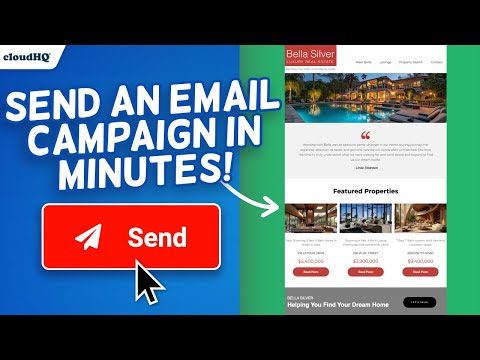
Looking for the best mass email and email marketing software available? MailKing sends your email campaigns from your Gmail address, so you're guaranteed higher open rates. Not only that, but it's built to work right in Gmail, so it's easy to access anytime you need to. Setting up a campaign is easy, intuitive, and extremely effective. MailKing is also very feature-rich. Here are just a few important highlights: ✅ Higher open rates ✅ Send emails from your Gmail, not "noreply@url.com" ✅ Thousands of professionally designed email templates for you to select ✅ Intuitive drag and drop email design editor if you prefer to design your emails from scratch ✅ HTML design editor available too ✅ Import Mailchimp templates, or Hubspot templates ✅ Easily upload CSV file from Mailchimp, Yesware, Salesforce, Zoho and other CRMs ✅ Mail merge available from any of your spreadsheets ✅ Email list builder ✅ Create multiple email contact lists for hyper-targeted campaigns ✅ Embed a branded signup form on your website with your logo, brand colors, and text ✅ Track opens, clicks, and replies ✅ Sequence and follow up email campaigns ✅ Full merge tag support: personalize name, email, or other data ✅ Detailed email campaign analytics ✅ Send up to 2000 emails/day based on Gmail send limits, upgrade to Premium Plan to remove logo on the bottom Bottom line: This is a solid mass email and email marketing software designed to help small to medium-sized businesses cut through the noise and get noticed. Enjoy this feature-rich app, a best-in-class mass email and email marketing software. Who uses MailKing? - Small Business Owners: For reliable and efficient email marketing campaigns. - Sales Professionals: To close deals faster and improve outreach efforts. - Marketers: Whether part of a small business or working as contractors, for creating impactful email campaigns. - Managers: To send internal newsletters and keep teams informed. - Organizations: For distributing internal newsletters, announcements, or notifications to employees. - Anyone: Who needs to send emails to large groups quickly and effectively. NOTE: For easy access to your settings and other cloudHQ apps, look for the cloudHQ icon in the top right corner of your Gmail inbox. Click on it to get started! NOTE: To access Hubspot and Mailchimp templates, simply click on the Hubspot or Mailchimp tab in the template browser to install the necessary extensions. cloudHQ. Helping your productivity, 1 click at a time. Website: https://www.mailking.io Pricing: https://www.mailking.io/pricing Support page: https://support.cloudhq.net/category/browser-extensions/gmail_campaigns/ Blog: https://blog.cloudhq.net Gmail, Google Shared Drive, Google Drive, and Google Workspace are trademarks of Google LLC. Use of these trademarks is subject to Google Permissions. cloudHQ is trademark of CloudHQ LLC. https://www.cloudhq.net/trademark
4.6 sa 5121 rating
Mga Detalye
- Bersyon1.0.2.4
- Na-updateNobyembre 28, 2025
- Laki562KiB
- Mga Wika11 (na) wika
- DevelopercloudHQ LLCWebsite
2247 29th Ave San Francisco, CA 94116-1738 USEmail
support@cloudhq.netTelepono
+1 415-509-6721 - TraderTinukoy ng developer na ito ang kanyang sarili bilang trader ayon sa kahulugan mula sa European Union at nakatuon na mag-alok lang ng mga produkto o serbisyo na sumusunod sa mga batas ng EU.
- D-U-N-S064785518
Privacy

Inihayag ng MailKing: Email Campaigns in Gmail by cloudHQ ang sumusunod na impormasyon tungkol sa pagkolekta at paggamit ng iyong data. Makikita ang mas detalyadong impormasyon sa privacy policy ng developer.
Pinapangasiwaan ng MailKing: Email Campaigns in Gmail by cloudHQ ang sumusunod:
Ipinapahayag ng developer na ito na ang iyong data ay
- Hindi ibinebenta sa mga third party na hindi kabilang sa mga naaprubahang sitwasyon ng paggamit
- Hindi ginagamit o inililipat para sa mga layuning hindi nauugnay sa pangunahing functionality ng item
- Hindi ginagamit o inililipat para tukuyin ang pagiging creditworthy o para sa mga layunin ng pagpapautang
Suporta
Para sa tulong sa mga tanong, suhestyon, o problema, bisitahin ang site ng suporta ng developer