

SlideShortcuts for Google Slides

Overview
PowerPoint keyboard shortcuts for Google Slides: align, distribute, size, order, group. 70+ consultant-grade keys.
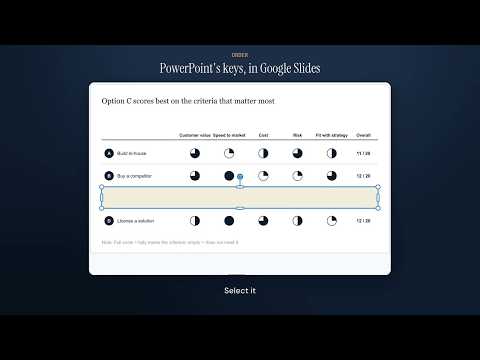
Building decks in Google Slides with PowerPoint habits? Every align, distribute, order and group lives in a menu. SlideShortcuts gives you the keys back. GETTING STARTED 1. Click Add to Chrome. 2. Enter your SlideShortcuts key, or start a free trial at slideshortcuts.com. 3. Open a presentation in Google Slides and press the keys. The one-page keyboard sheet is at slideshortcuts.com/sheet. 4. For same size, swap and position commands, also install the free SlideShortcuts add-on from the Google Workspace Marketplace (one click, every deck). BENEFITS • Private by design. The extension runs only on Google Slides pages and never asks to sign in to your Google account. Nothing from your presentation is sent anywhere: it checks your license and sends an anonymous daily usage ping, plus how often each command ran only if you say yes. • Keyboard-first, with keys you already know: the same keys as SlideShortcuts for PowerPoint on Mac and Windows. • Align and distribute: one object aligns to the slide, several align to each other, as in PowerPoint. • Resize in PowerPoint's steps with Shift+arrows, and in exact 1% steps with Ctrl+Shift+arrows. • Order, group, ungroup, flip, rotate, and insert a text box that's placed and ready to type. • Text and color from the keyboard: center and justify, autofit, font size, line spacing, fill, border and text color, border weight and dash. • Tables from the keyboard: insert and delete rows and columns, distribute them, merge and unmerge cells. • Every shortcut can be remapped, and it works on ChromeOS too (the leader key is Alt+0 there). PRICING The extension comes with a SlideShortcuts subscription; one key covers PowerPoint and Google Slides. Start a free trial at slideshortcuts.com. SlideShortcuts is made by 1183 Ventures LLC and is not affiliated with, endorsed by, or sponsored by Google LLC or Microsoft.
5 out of 59 ratings
Details
- Version0.9.7
- UpdatedNovember 7, 2026
- Offered bySlideShortcuts
- Size161KiB
- LanguagesEnglish
- Developer1183 Ventures LLC
2580 El Camino Real Apt 103 Redwood City, CA 94061 USEmail
support@slideshortcuts.comPhone
+1 401-688-5247 - TraderThis developer has identified itself as a trader per the definition from the European Union and committed to only offer products or services that comply with EU laws.
- D-U-N-S144620582
Privacy

SlideShortcuts for Google Slides has disclosed the following information regarding the collection and usage of your data. More detailed information can be found in the developer's privacy policy.
SlideShortcuts for Google Slides handles the following:
This developer declares that your data is
- Not being sold to third parties, outside of the approved use cases
- Not being used or transferred for purposes that are unrelated to the item's core functionality
- Not being used or transferred to determine creditworthiness or for lending purposes
Support
For help with questions, suggestions, or problems, please open this page on your desktop browser