


Overview
Create clear prompts for ChatGPT, Claude, Gemini and DeepSeek from your ideas.
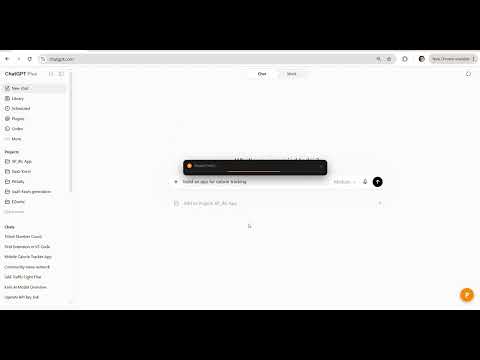
✨ Turn a rough idea into a clear AI prompt for ChatGPT, Claude, Gemini and DeepSeek. Prompify helps you get better answers from AI without learning prompt engineering. Describe what you want in plain language, answer a couple of quick questions, and Prompify writes a detailed, structured prompt for you. ⚡ TWO WAYS TO USE IT ⌨️ The /prompify trigger Type your idea straight into a supported AI chat box, end it with /prompify and press Enter. Nothing is sent to the AI. Prompify asks a quick question if it needs one, then puts the finished prompt back in the same box. You read it, edit it, and send it when you're ready. Esc cancels. You can change the trigger word or turn it off in Settings. 🧩 The side panel Press Ctrl+Shift+P (⌘+Shift+P on Mac) or click the floating P button on a supported AI site. 1️⃣ Describe what you want. 2️⃣ Answer a few multiple-choice questions, or write your own answer. Simple requests skip them. 3️⃣ Refine the prompt, copy it, or send it to an open AI tab. Some sites need a quick paste. 🌍 NINE LANGUAGES English, العربية (full right-to-left layout), 中文, 日本語, 한국어, Español, Português, Deutsch and Français. You can also choose which language the AI replies in. 🎯 WHAT'S INSIDE ✅ Works with ChatGPT, Claude, Gemini and DeepSeek ✅ Clarifying questions only when your request needs them ✅ Refine a finished prompt instead of starting over ✅ Follow-up suggestions after the AI replies ✅ A prompt history you can reuse, with favourites ✅ No personal API key needed 💛 FREE TO START 🆓 Try it with no account: 3 prompts a day. 🔑 Sign in free with Google for 25 prompts a month and a history that syncs across your computers. 🎁 Invite a friend: when they finish their first prompt, you both get 10 bonus prompts. 🚀 Need more? Paid plans offer higher limits. See https://www.prompify.co/en/pricing 🔒 PRIVACY Prompt generation needs an internet connection. Your request and answers are processed by Anthropic through Prompify's service. Signed-in history is synced through Supabase. Anonymous history stays in Chrome. Anonymous usage statistics contain no prompt text, and you can turn them off in Settings. Full details: https://www.prompify.co/en/privacy ℹ️ Prompify is an independent tool and is not affiliated with OpenAI, Anthropic, Google or DeepSeek.
5 out of 53 ratings
Details
- Version1.6.13
- UpdatedSeptember 28, 2026
- Size183KiB
- Languages9 languages
- DeveloperWebsite
Email
siqbalbaloch@gmail.com - Non-traderThis developer has not identified itself as a trader. For consumers in the European Union, please note that consumer rights do not apply to contracts between you and this developer.
Privacy

Prompify – AI Prompt Generator has disclosed the following information regarding the collection and usage of your data. More detailed information can be found in the developer's privacy policy.
Prompify – AI Prompt Generator handles the following:
This developer declares that your data is
- Not being sold to third parties, outside of the approved use cases
- Not being used or transferred for purposes that are unrelated to the item's core functionality
- Not being used or transferred to determine creditworthiness or for lending purposes
Support
For help with questions, suggestions, or problems, please open this page on your desktop browser