

SnapMyNest - Screenshot & Screen Recorder

Overview
Screenshots, full-page capture and screen recording. Saved on your device by default; Cloud saving is optional.
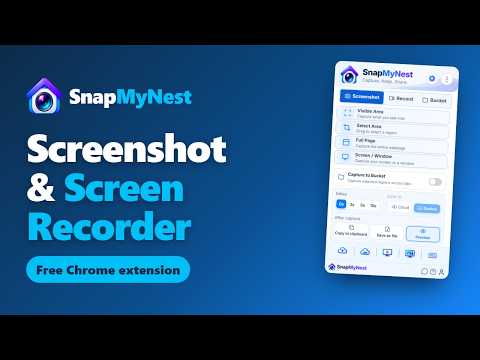
SnapMyNest captures screenshots and records your screen, and keeps everything on your device unless you choose to upload it. CAPTURE - Visible area, selected region, full page (auto-scroll) or your whole screen/window - Delay timer (0, 3, 5, 10 seconds) - Copy to clipboard, save as a file, or preview and annotate - Keyboard shortcuts: Alt+Shift+V (visible area), Alt+Shift+F (full page), Alt+Shift+A (select area) RECORD - Record the current tab, a window or the whole screen, with optional microphone and camera - Recordings are stored in your browser on your computer BUCKET - Turn on "Capture to Bucket" to collect pictures across tabs into one collection - Make a PDF from a collection; finished collections move to History MY SNAPS - All your snapshots, videos and Bucket collections in one page - Search, filter, rename, download, and select several to delete at once SAVE WHERE YOU WANT - Device (default): nothing is sent to us - Cloud (optional): sign in with Google to keep files in SnapMyNest Cloud and share a private link - Google Drive or YouTube (optional): upload to your own account when you press Upload PRIVACY - No analytics, no ads, no tracking of your browsing - Full policy: https://snapmynest.com/privacy
0 out of 5No ratings
Details
- Version1.0.5
- UpdatedNovember 21, 2026
- Offered bypatel.rais@gmail.com
- Size2.71MiB
- LanguagesEnglish
- DeveloperRTSoftware Private Limited
D103, Vardhman Heights, Chatrapati Chowk, Rahatani Chatrapati Chowk, Rahatani Pune, Maharashtra 411017 INEmail
support@snapmynest.com - Non-traderThis developer has not identified itself as a trader. For consumers in the European Union, please note that consumer rights do not apply to contracts between you and this developer.
Privacy

SnapMyNest - Screenshot & Screen Recorder has disclosed the following information regarding the collection and usage of your data. More detailed information can be found in the developer's privacy policy.
SnapMyNest - Screenshot & Screen Recorder handles the following:
This developer declares that your data is
- Not being sold to third parties, outside of the approved use cases
- Not being used or transferred for purposes that are unrelated to the item's core functionality
- Not being used or transferred to determine creditworthiness or for lending purposes
Support
For help with questions, suggestions, or problems, visit the developer's support site