

Image Harvest - Batch Image Downloader

Overview
Image downloader that finds every image on a page. Batch save as ZIP, multi-tab extract, AI tags, duplicate detection and more.
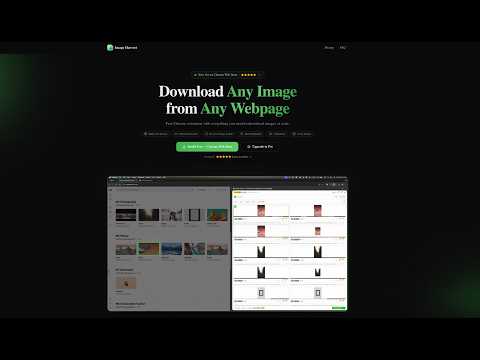
Image Harvest is a smart image downloader and extractor that finds, extracts and bulk-saves every image on any webpage — including the CSS backgrounds, lazy-loaded and Shadow-DOM images most tools miss. Filter by size or format, download everything as one ZIP, extract from multiple tabs at once, detect near-duplicates, and organize with AI tags and collections. Built for designers, researchers, e-commerce sellers and content curators — anyone who needs to scrape or save images in bulk. Free to use — no sign-up required. 🔍 Smart Image Extraction Automatically finds every image on any webpage — including standard images, CSS backgrounds, responsive images, and high-resolution variants. Scans deep into Shadow DOM and iframes for complete coverage. Live monitoring detects new images as you scroll (Pro). 🌀 Deep Scan — No Lazy Image Left Behind Long pages and infinite feeds only load images as you scroll. Deep Scan auto-scrolls the page for you — triggering every lazy load and watching for new arrivals until the real bottom — then hands you the complete harvest in one click. Free users get 3 deep scans a day; Pro users scan without limits. 🔗 Get the Original Behind the Link Thumbnail-to-detail pages (Reddit-style galleries, product grids) hide the full-size image behind every click. Image Harvest follows those links for you: direct image links are extracted automatically on every scan, right-click any image or link to send it straight to the panel, and Pro users can resolve all gallery links in one click to pull each detail page's original image. 🎛️ Powerful Filtering & Sorting Filter by size (Small/Medium/Large/XL/Custom), format (JPG/PNG/WebP/SVG/GIF), layout (Square/Landscape/Portrait/Panorama), or URL keywords. Smart grouping by Domain, Format, Size Range, or Tab (Pro). Sort by size, format, or natural order. Toggle "Show visible only" to focus on images currently on screen. 📥 Batch Download Images Download individual images or batch download multiple images as a single ZIP file. Track download progress with a visual progress bar. Free users can download up to 30 images per batch; Pro users enjoy unlimited batch downloads. 🌐 Multi-Tab Extract Extract images from multiple browser tabs at once. No need to switch tabs one by one — scan all open tabs simultaneously and download everything in one go. Perfect for research, shopping, or content curation across multiple pages. 🔎 Similar Image Detection Automatically detect and group visually similar images using advanced perceptual hashing. Avoid downloading duplicates or near-identical variants. Saves time and storage by identifying redundant images before you download. 🔍 Reverse Image Search Find where else an image appears online. Free users can search via Google Images. Pro users unlock 4 search engines: Google Images, TinEye, Baidu, and Yandex — giving you comprehensive coverage to track image usage, find higher resolutions, or verify authenticity. ✨ Batch Highlight Select multiple images in the panel to highlight them all on the webpage simultaneously. Auto-scrolls to each highlighted image so you can quickly locate and verify them on the page. Ideal for reviewing large batches before downloading. ⭐ Image Collections Save your favorite images to a local collection with custom tags and notes. Browse, search, and filter your saved images anytime. Batch export entire collections as ZIP files. Build your personal image library without leaving your browser. 🎨 Color Extract Automatically extract the top 5 dominant colors from each image. View color palettes directly in the panel. Copy HEX color codes for design work, branding analysis, or creative projects. Free users can copy a limited number of colors per month; Pro users enjoy unlimited color copying. 🤖 AI Image Tagging Generate smart tags for any image using AI — instantly know what's in each image without opening it. Tag individual images or batch-tag your entire selection at once. Filter and search images by their AI-generated tags. Free users get a monthly quota; Pro users enjoy unlimited tagging. 🦅 Export to Eagle Send images directly to Eagle — the popular design asset management app. Each export includes the image, metadata, AI tags, and source URL so your Eagle library stays organized. Batch export all selected images at once. Free users can export up to 5 images; Pro users enjoy unlimited exports. ⚡ Batch Operations Select multiple images and perform actions in bulk: batch favorite (add to collection), batch AI tag, and batch delete. No more one-by-one clicking — streamline your workflow when dealing with large image sets. 🌍 15 Languages Supported Fully translated into 15 languages: English, 简体中文, 繁體中文, 日本語, Español, 한국어, Português, Français, Deutsch, Italiano, Русский, Nederlands, हिन्दी, العربية, ไทย. Auto-detects your browser language — no manual setup needed. 🔒 Privacy First Image Harvest processes everything locally in your browser. No images, URLs, or personal data ever leave your device. Anonymous usage statistics (event counts only — no URLs, no images, no identifiers) are sent by default to help improve the extension; you can switch them off anytime in Settings → Share anonymous usage data. ⌨️ Keyboard Shortcuts Ctrl+Shift+S (Cmd+Shift+S on Mac): Toggle Image Harvest 🌐 Website: https://image-harvest.kyriewen.cn 📧 Support: support@kyriewen.cn
5 out of 53 ratings
Details
- Version1.2.5
- UpdatedOctober 18, 2026
- FeaturesOffers in-app purchases
- Size1.13MiB
- Languages14 languages
- DeveloperWebsite
Email
support@kyriewen.cn - Non-traderThis developer has not identified itself as a trader. For consumers in the European Union, please note that consumer rights do not apply to contracts between you and this developer.
Privacy

This developer declares that your data is
- Not being sold to third parties, outside of the approved use cases
- Not being used or transferred for purposes that are unrelated to the item's core functionality
- Not being used or transferred to determine creditworthiness or for lending purposes
Support
For help with questions, suggestions, or problems, please open this page on your desktop browser