


Overview
AI-powered browser automation for Chrome. Automate tasks, fill forms, control websites with voice and intelligent web navigation.
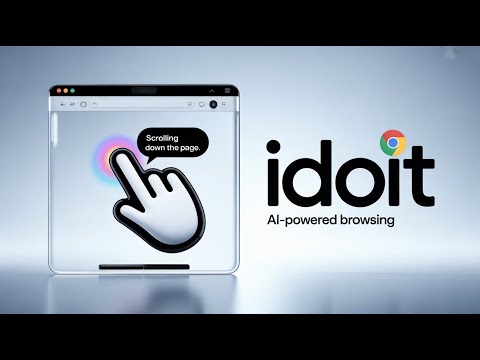
Meet idoit (pronounced "I Do It"): The AI agent that controls your browser, clicks buttons, and automates your work so you don't have to. Stop Clicking. Start Automating. Imagine you had a friend sitting next to you who knew how to do anything on any website. You tell them what to do, and they do it while you sit back. That is idoit. Unlike basic "AI summarizers," idoit is a Functional AI Agent. It doesn't just read pages—it takes action. It clicks, types, navigates, and fills forms across Google Chrome, acting as your personal automated workforce. 🏆 TRUSTED BY 10,000+ USERS | 50,000+ DAILY TASKS AUTOMATED 🚀 WHAT CAN IDOIT DO? If a human can do it in a browser, idoit can automate it. AI Form Filler: Instantly fill job applications, lead magnets, or checkout forms. Social Media Manager: Automate joining groups, posting comments, and scheduling content on Facebook, LinkedIn, and more. Data Entry Bot: Scrape data from one tab and paste it into a CRM or spreadsheet in another. YouTube Assistant: Auto-edit descriptions and manage comments without clicking. Testing & QA: Developers can use natural language to test web flows ("Go to login, type 'admin', click enter"). ✨ KEY FEATURES: ✅ Speak Your Commands (V3.1) Don't want to type? Just use the new Voice Input. Tell the AI "Go to Amazon and find headphones," and watch it go. ✅ Multi-Window "Task Force" Why run one agent when you can run ten? idoit supports true multi-window automation. Have one window scraping data while another posts content. ✅ Smart "Set It & Forget It" Rules Create custom context rules. Tell the AI: "Whenever you are on a YouTube video page, automatically like the video." The AI remembers your instructions for specific URLs. ✅ Real-Time Feedback Loop You are never in the dark. The AI narrates its actions in real-time: 🤖 "Navigating to Facebook..." ✍️ "Typing search term..." ✅ "Clicking 'Join Group'..." ✅ Interactive Copilot You can chat with the agent while it works. "Actually, click the second button, not the first." You are always in control. ✅ Library of "One-Click" Macros Save your most frequent prompts. Turn a complex 5-minute workflow into a single click. 🔒 PRIVACY & SAFETY Your AI, your rules. idoit is designed to ask for permission before performing risky actions (like submitting payments or deleting files). You are always the pilot. PRICING Free 7-Day Trial: Experience full automation. Cost Efficient: You pay only for the AI API usage directly to Google (BYO Key), ensuring you get the lowest possible price with no middle-man markup. LATEST UPDATES V3.4: Simplified onboarding & UI polish. V3.3: Added "Report Bug" button for rapid improvements; Added support for Amazon KDP buttons. V3.2: Voice input stability fixes + Video guide for API keys. V3.1: Major Feature: Voice Input added. V3.0: "Smart Awareness" update - Agent now understands context after actions; Huge UI/UX overhaul. V2.0: Added URL-specific and Background Summary Bubbles.
5 out of 52 ratings
Details
- Version3.5
- UpdatedOctober 12, 2026
- FeaturesOffers in-app purchases
- Size6.14MiB
- LanguagesEnglish (United States)
- DeveloperWebsite
Email
solaitions@gmail.com - Non-traderThis developer has not identified itself as a trader. For consumers in the European Union, please note that consumer rights do not apply to contracts between you and this developer.
Privacy

Idoit AI Browser Agent - works with Chrome has disclosed the following information regarding the collection and usage of your data. More detailed information can be found in the developer's privacy policy.
Idoit AI Browser Agent - works with Chrome handles the following:
This developer declares that your data is
- Not being sold to third parties, outside of the approved use cases
- Not being used or transferred for purposes that are unrelated to the item's core functionality
- Not being used or transferred to determine creditworthiness or for lending purposes
Support
For help with questions, suggestions, or problems, please open this page on your desktop browser