

IdleSaver
1 rating
)
Overview
Automatically simulates a click after user inactivity to prevent idle detection or session timeout.
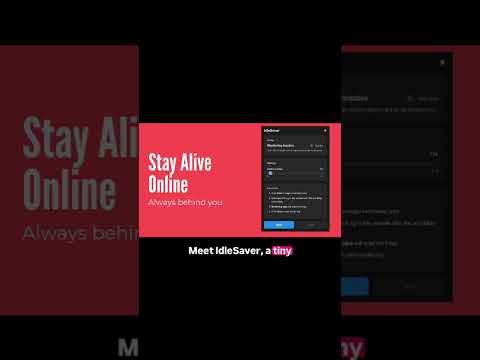
IdleSaver is a lightweight and privacy-friendly Chrome extension that keeps you active on dashboards, work apps, and monitoring systems by simulating user activity after a defined period of inactivity. —————————————————————————— 🚀 IDLESAVER DESKTOP — NOW LAUNCHED —————————————————————————— The IdleSaver Desktop app is here — OS kernel-level idle detection that works across every app on your machine, not just the browser. You can download it from here: https://codecard.in —————————————————————————— WHAT'S NEW —————————————————————————— Custom Inactivity Delay: Set your own idle timeout (5 seconds to 5 minutes) before the extension triggers. Dark / Light Mode: Switch between themes for a cleaner, more comfortable experience. Refreshed UI: A modern, minimal interface with improved clarity and usability. Background Tab Protection: Sessions on inactive tabs are now kept alive — switching tabs no longer puts your other sessions at risk. Network Session Keepalive: Automatically detects and replays your app's session heartbeat requests, preventing server-side session expiry — not just browser-side timeouts. —————————————————————————— HOW IT WORKS —————————————————————————— When no activity is detected for your chosen duration, IdleSaver: Simulates mouse movement, clicks, focus, and scroll events to satisfy browser-based idle detectors Replays session keepalive network requests the page has already made (e.g. /ping, /heartbeat, /session/refresh) to keep server-side sessions alive Continues protecting all open tabs — even ones running in the background Logs activity to the console so you always know it's working Start or stop anytime from the extension popup. —————————————————————————— PERFECT FOR —————————————————————————— Preventing inactivity timeouts in work-logging or HR systems Avoiding "away/idle" status in monitoring tools Keeping long-running dashboards, analytics, or internal web apps awake Maintaining sessions across multiple open tabs simultaneously —————————————————————————— PRIVACY-FRIENDLY —————————————————————————— IdleSaver runs entirely on your device. It does not collect, transmit, or store any personal data. Activity simulation is local-only — only your existing session requests are replayed, nothing new is sent to external servers. Note: IdleSaver works on any http:// or https:// website. It cannot run on chrome://, browser settings pages, or the Chrome Web Store itself due to Chrome's built-in security restrictions. It also cannot defeat OS-level employee monitoring software (e.g. Teramind, ActivTrak) as those operate outside the browser. Placed the beta section at the very top — highest visibility real estate in the store listing. Copy and paste wherever needed (Web Store listing, README, etc.).
5 out of 51 rating
Details
- Version1.3.2
- UpdatedSeptember 2, 2026
- Offered byJohn Levy
- Size27.34KiB
- LanguagesEnglish
- Developer
Email
shubhamk314@gmail.com - Non-traderThis developer has not identified itself as a trader. For consumers in the European Union, please note that consumer rights do not apply to contracts between you and this developer.
Privacy

IdleSaver has disclosed the following information regarding the collection and usage of your data. More detailed information can be found in the developer's privacy policy.
IdleSaver handles the following:
This developer declares that your data is
- Not being sold to third parties, outside of the approved use cases
- Not being used or transferred for purposes that are unrelated to the item's core functionality
- Not being used or transferred to determine creditworthiness or for lending purposes
Support
For help with questions, suggestions, or problems, please open this page on your desktop browser