

Tuckly: GDrive Saver – Save Text, Links & Videos in One Click

Overview
Text saver for any website: right-click to save text, links, pages & videos to your own Google Drive. Search, tag & cite.
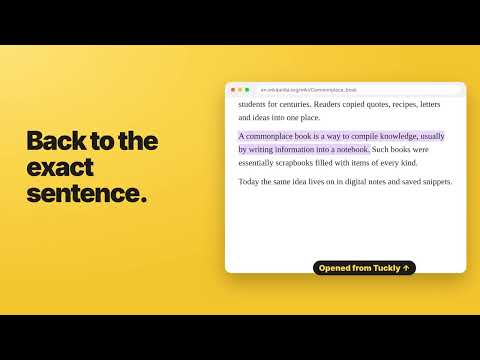
Tuckly is an all-in-one, private text saver with 50+ features: save any text, link, page or video from the web with one right-click — and keep it safe in your own Google Drive. How it works: select text → right-click → Tuckly – Save Text → Save Text. Or press Ctrl+Shift+S. Prefer one click? Turn on One-click mode in Settings. ★ RIGHT-CLICK SAVE • Save selected text, links, images and page links • Add a note or save straight into a folder • A "Text saved ✓" confirmation with Undo ★ GOOGLE DRIVE BACKUP • Backed up to your own Google Drive, not to our servers • A visible "Tuckly" folder with a readable Google Doc you can open on any device • Reinstall or switch computers: sign in and everything comes back • Two delete options: remove from the extension but keep in Drive, or delete everywhere • Live sync status, and nothing is lost if you go offline ★ SAVE VIDEOS • An optional Tuckly button on YouTube and other video sites • Save a video to a category and reopen it at the exact moment ★ SMART TABS • Saved items are sorted into tabs automatically by type and by the website they came from • Each tab has its own categories, so nothing gets cluttered • Choose which tabs you want in Settings ★ FIND & USE IT • Simple view: just your saved text in a clean list • Instant search across text, notes and tags • Folders, tags and pins • Jump back to the exact spot on the page, highlighted • Copy as a Markdown quote or citation • Popup, side panel and full-page library • Export your library any time ★ PRIVATE BY DESIGN • We collect no data: no account, no tracking, no ads • Your text stays on your device and in your own Google Drive • Tuckly can only access the files it creates in your Drive — the developer can never see your text Light and dark themes included. Need help? Guide: https://tuckly.siteverostudio.com/help/ Questions or ideas: https://tuckly.siteverostudio.com/contact/ Made by SiteVero Studio — siteverostudio.com
5 out of 52 ratings
Details
- Version2.5.2
- UpdatedOctober 25, 2026
- Size257KiB
- LanguagesEnglish (United States)
- DeveloperAmit jyoti ShawWebsite
Purbachal main road, Garfa Kolkata, West Bengal 700099 INEmail
siteverostudio.com@gmail.comPhone
+91 94324 14642 - TraderThis developer has identified itself as a trader per the definition from the European Union and committed to only offer products or services that comply with EU laws.
Privacy

Tuckly: GDrive Saver – Save Text, Links & Videos in One Click has disclosed the following information regarding the collection and usage of your data. More detailed information can be found in the developer's privacy policy.
Tuckly: GDrive Saver – Save Text, Links & Videos in One Click handles the following:
This developer declares that your data is
- Not being sold to third parties, outside of the approved use cases
- Not being used or transferred for purposes that are unrelated to the item's core functionality
- Not being used or transferred to determine creditworthiness or for lending purposes
Support
For help with questions, suggestions, or problems, visit the developer's support site