

iBluSend GHL Dialer: Click to Call & iMessage for GoHighLevel

Overview
Click to call numbers on your GoHighLevel, HighLevel and Close pages, and reply to iMessage in Chrome's side panel. FaceTime too.
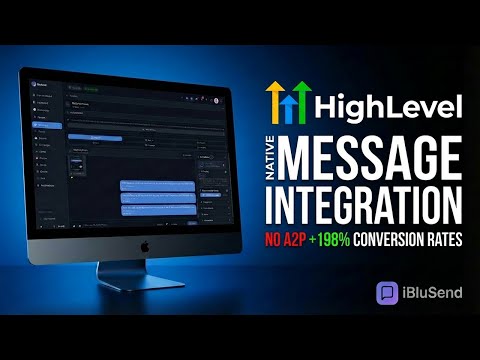
Call and text from the record you are already on. You are looking at a contact. The phone number is right there. To call it you pick up your cell and retype ten digits, or you open a second tab and find the person again in another tool. To text them, a third place. That minute, repeated all day, is why this exists. CLICK TO CALL Phone numbers on your GoHighLevel, HighLevel, LeadConnector and iBluSend pages get a small blue dial button beside them. Click it and the call starts. Those four sites are the only places the button appears, and the toolbar popup has an "Auto-detect numbers" checkbox that strips the buttons out of every open tab the moment you clear it. QUICK CHAT, IN CHROME'S SIDE PANEL Press Cmd+Shift+E on a Mac or Ctrl+Shift+E on Windows and your real iMessage conversations open in Chrome's own side panel, next to whatever page you are on. The panel loads your live iBluSend account, so it is the real product in a narrow column rather than a copy of it. Type two characters in the search box and it lists up to 25 contacts matching a name, phone number or company, each tagged iMessage or SMS so you know what you are about to send. Type a number that matches nobody and it offers to start a fresh thread with it. Open a contact and you get the whole conversation with a reply box underneath. Attach up to five files, record a voice memo, send an AI voice drop, add an iMessage effect, and choose which of your Macs the message goes out from. A Groups tab lists your group threads with an unread count, opens them, and starts new ones. A sun and moon button switches the panel between light and dark. TWO WAYS TO CALL An open thread shows the call buttons your account is set up for. The Telnyx button appears once your SIP line is configured. The FaceTime Audio button appears on a Pro plan with the feature switched on. If neither is set up you get no call buttons, which is more use than a button that fails. Both open a separate call window rather than running audio inside the panel. Chrome blocks microphone access inside the side panel frame, so that window is where the microphone, speakers and live call controls live. If the line you would dial from is already on a call, the button is disabled and says so instead of placing a broken one. If a contact is marked SMS rather than iMessage, the FaceTime button warns that it may not connect. INCOMING CALLS RING IN THE PANEL Calling is two-way. When a contact calls your line's FaceTime number, a ring card appears in the side panel with their name, on whatever page you are on. Click Answer and the call is picked up on your Mac and carried to your browser; click Decline and it goes to voicemail. The card shows for a FaceTime Audio line on a Pro or Agency plan. Nothing rings if the Mac behind the line has a Focus or Do Not Disturb schedule on, so that Mac keeps Focus off. IT FOLLOWS THE CONTACT YOU ARE VIEWING While you browse a contact in GoHighLevel, the extension notes that person's number. If the panel is already open it switches to their thread. If the panel is closed, nothing happens on screen, and a panel you open yourself within the next sixty seconds lands on them. It will not open itself. That behaviour was removed in August 2026 because it popped the panel open on every page change. THE TOOLBAR POPUP Shows whether you are connected and which email you signed in with. Under that, a Quick Dial box calls any 10 or 11 digit US number you paste in and press Enter on. A Call Method toggle chooses between a browser call over Telnyx and a FaceTime Audio call, and it governs the in-page dial buttons too. A "Send From" list of your Macs sits beside it and fills in once you have opened Quick Chat in that browser session. Recent Calls holds the last five started from the popup or from a page button. If your account has more than one workspace, the popup lets you pick which one the extension acts as. The panel carries a second picker that starts on All. NEW MESSAGE ALERTS A new incoming message raises a Chrome notification with the sender and a preview, and clicking it opens the panel on that person. The toolbar icon carries a blue unread count at the same time. Both run only while Quick Chat is open, because the live subscription that produces them lives inside the panel. WHAT YOU NEED An iBluSend account. Install the extension, click the icon, press Sign in to iBluSend. A normal account page opens in a tab, hands the extension a one-time session token, and says Connected. You do that once. Messages go out through a Mac on your account running iBluSend. Calling needs either a Telnyx SIP line or a Pro plan with FaceTime Audio switched on. On the search screen and above every reply box there is a line reminding you that recipients must have given prior express written consent before you message them. It is there on purpose. WORKS WITH, NOT MADE BY iBluSend is an independent product. GoHighLevel, HighLevel and LeadConnector are trademarks of their respective owners. This extension works alongside those pages and is not made by, endorsed by, or affiliated with them. We name those sites so you know where it works.
0 out of 5No ratings
Details
- Version1.9.1
- UpdatedOctober 22, 2026
- Size106KiB
- LanguagesEnglish
- DeveloperWebsite
Email
zach@pulsemediadigital.com - Non-traderThis developer has not identified itself as a trader. For consumers in the European Union, please note that consumer rights do not apply to contracts between you and this developer.
Privacy

This developer declares that your data is
- Not being sold to third parties, outside of the approved use cases
- Not being used or transferred for purposes that are unrelated to the item's core functionality
- Not being used or transferred to determine creditworthiness or for lending purposes
Support
For help with questions, suggestions, or problems, visit the developer's support site