


Overview
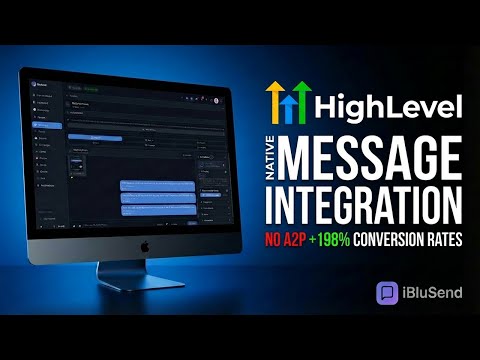
Call contacts and reply to conversations from your browser with click-to-call buttons and an iMessage side panel.
Call and message your contacts while you work in your CRM. iBluSend adds call buttons beside phone numbers on supported CRM pages and puts your conversations in the browser's side panel. Search for a contact, read the conversation, and reply without leaving the record. CALL FROM A CONTACT RECORD Use the page's call button or enter a number in Quick Dial. Calling options depend on your account and connected lines: browser calling, FaceTime Audio, or a phone call through a compatible Mac line. Calls open in a separate window with microphone, speaker, and call controls. REPLY IN THE SIDE PANEL Send text, attach files, record a voice memo, or add an iMessage effect. Choose a sending line and work with individual or group conversations. When the panel is already open, supported contact pages can load the matching conversation as you move between records. STAY IN CONTROL Open Quick Chat from the toolbar or with Cmd+Shift+E on Mac and Ctrl+Shift+E on Windows. Turn automatic phone-number detection on or off in the toolbar popup. Incoming-message notifications are available while Quick Chat is open. REQUIREMENTS An iBluSend account is required. Apple messaging uses a connected Mac running the iBluSend bridge. Calling requires a configured calling line and an eligible plan. Feature availability depends on your account, device readiness, and the page you are viewing. Only message recipients who have given the required consent. Visit https://iblusend.com for setup, supported integrations, and account details. This is an independent extension provided by iBluSend.
0 out of 5No ratings
Details
- Version1.9.3
- UpdatedOctober 30, 2026
- Size106KiB
- LanguagesEnglish
- DeveloperWebsite
Email
zach@pulsemediadigital.com - Non-traderThis developer has not identified itself as a trader. For consumers in the European Union, please note that consumer rights do not apply to contracts between you and this developer.
Privacy

This developer declares that your data is
- Not being sold to third parties, outside of the approved use cases
- Not being used or transferred for purposes that are unrelated to the item's core functionality
- Not being used or transferred to determine creditworthiness or for lending purposes
Support
For help with questions, suggestions, or problems, visit the developer's support site