


概述
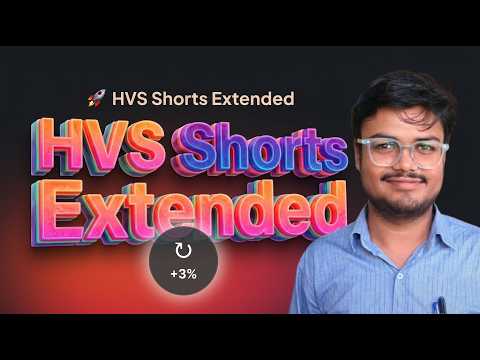
Forwards and backwards YouTube Shorts by 3% using Arrow Keys.
Do you love watching YouTube Shorts but get frustrated when you can't easily rewind to catch a missed detail or fast-forward through a slow intro? **HVS Shorts Extended** is the ultimate tool to give you back control of your viewing experience! By default, YouTube Shorts doesn't provide an intuitive way to seek through short-form videos using your keyboard. This lightweight, ultra-fast extension solves that problem instantly by enabling seamless, precise keyboard navigation for every Short you watch. ### ✨ Key Features * **Precision Skipping:** Instantly skip forward or backward by exactly 3% of the video's total duration. It is perfectly balanced—not too short, not too long—making it ideal for re-watching quick tutorials, funny reactions, or skipping ahead. * **Intuitive Arrow Key Navigation:** Just press the **Right Arrow (→)** to fast-forward and the **Left Arrow (←)** to rewind. No complex hotkeys to memorize; it feels exactly like the native YouTube desktop player. * **Sleek Visual Indicators:** Get instant, native-looking feedback! A stylish, unobtrusive circular indicator (↻ / ↺) pops up smoothly in the center of the screen to show your +3% or -3% jumps, then fades away naturally. * **Smart Typing Detection:** The extension is intelligent enough to know when you are actively typing in the comments section or the YouTube search bar. Your arrow keys will work normally for text editing without accidentally skipping the video! * **Zero Bloatware:** Designed to do one specific thing and do it flawlessly. It runs silently in the background with zero impact on your browser's speed or performance. ### 🚀 How to Use 1. Install **HVS Shorts Extended** and refresh your active YouTube tabs. 2. Open any YouTube Short. 3. Tap the **Right Arrow Key** to skip forward. 4. Tap the **Left Arrow Key** to rewind. 5. Enjoy a better, fully controlled Shorts experience! ### 🔒 Privacy First Your privacy is our priority. **HVS Shorts Extended** runs entirely locally on your machine and only activates on YouTube. We do not track your viewing history, collect personal data, or send any information to external servers. Upgrade your YouTube Shorts experience today. Install HVS Shorts Extended and never miss a crucial second again!
0 星(5 星制)无评分
详情
隐私权

该开发者已声明,您的数据:
- 不会因未获批准的用途出售给第三方
- 不会为实现与产品核心功能无关的目的而使用或转移
- 不会为确定信用度或放贷目的而使用或转移
支持
若有任何疑问、建议或问题,请在桌面浏览器中打开此页面