

Humanize Copy/Paste
2 ratings
)
Overview
Copy selected text with subtle cleanup of common AI writing tells
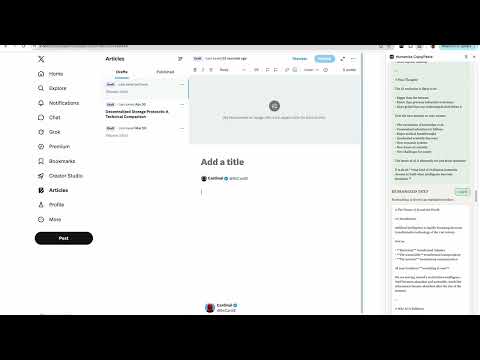
Humanize Copy/Paste cleans up common AI writing tells when you copy text, without rewriting your meaning or structure. Select text on any page, right-click, and choose Copy & Humanize. The cleaned version goes straight to your clipboard, ready to paste into docs, emails, social posts, or notes. WHAT IT FIXES The extension targets obvious, recognizable patterns, not your ideas: • Em dashes → commas • Doubled punctuation (!!, (!?) • Filler phrases (“Here’s why that matters”, “The result?”) • Dramatic hooks (“But here’s the thing:”, “Hot take:”) • Stock openers (“In today’s fast-paced digital landscape”) • Formulaic structures (“It’s not just X. It’s also Y.”) • AI buzzwords (delve, pivotal, testament, showcase, and more) • Transition fluff (“when it comes to”, “let’s unpack”) • Corporate clichés (paradigm shift, game changer, synergy) • Optional: hedge phrases and academic formal tone Every rule can be turned on or off in settings. Cleanup is conservative by design: small swaps and trims, same meaning, same structure. HOW TO USE 1. Select text on a webpage 2. Right-click → Copy & Humanize 3. Paste wherever you need it Open the side panel to review what changed, revert individual edits with a click, paste text in to clean it on the spot, or copy formatted output for social posts (plain text + HTML). PRIVATE BY DESIGN All processing happens locally in your browser. Your text is never sent to a server. Settings sync through Chrome storage on your account.
5 out of 52 ratings
Details
- Version1.10.0
- UpdatedJune 28, 2026
- Offered bymarko
- Size35.81KiB
- LanguagesEnglish
- Developer
Email
marko@arabba.hr - Non-traderThis developer has not identified itself as a trader. For consumers in the European Union, please note that consumer rights do not apply to contracts between you and this developer.
Privacy

This developer declares that your data is
- Not being sold to third parties, outside of the approved use cases
- Not being used or transferred for purposes that are unrelated to the item's core functionality
- Not being used or transferred to determine creditworthiness or for lending purposes