
![Imej logo item untuk Hulu Speeder: adjust playback speed [QVI]](https://lh3.googleusercontent.com/WGf30CE7BblwmEX8hL1wMlt9ANBw0rD3ezk-PuTyCF78zTuCCeiUUJLv9DHLVej7Oe90MlYYDixRuj3go1TLQShV=s60)
Hulu Speeder: adjust playback speed [QVI]
24 rating
)![Media item 2 (tangkapan skrin) untuk Hulu Speeder: adjust playback speed [QVI]](data:image/gif;base64,R0lGODlhAQABAIAAAP///////yH5BAEKAAEALAAAAAABAAEAAAICTAEAOw==)
Gambaran keseluruhan
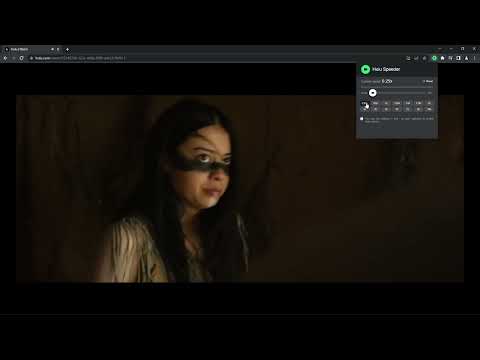
Extension allows to adjust the playback speed on Hulu according to your preferences
Get your skates on and be in control of the playback speed on Hulu. This extension will allow you to either speed up or slow down shows and movies to enjoy watching your favorite content at your own pace. Didn't catch that fast-talking dialogue? Want to experience your favorite scenes in slow-motion? Or maybe you'd like to fast forward the less interesting part to enjoy the series finale? You're in the right place! Here's the solution for changing the video speed. All you need to do is to add the extension to your browser and run the control panel which enables you to choose from 0.25x up to 16x speed rates. You can also use hotkeys on your keyboard to control it. It is as simple as that! How to find Speeder's control panel: 1. After installation, click the small puzzle piece icon next to your Chrome profile avatar (top right corner of the browser window) 2. You'll see all your installed and enabled extensions. 3. You can pin Speeder to have it always on top in your browser. 4. Click the Speeder icon and try different speed settings. This extension is part of the Quality Viewership Initiative, a collaborative effort to enhance the understanding of audience engagement. It collects anonymous, aggregated viewing insights to support creators and studios in improving the quality of their content. You can stop sharing your information at any time by switching the toggle on the options page. Disclaimer : Hulu is a trademark of Disney Media and Entertainment Distribution. This website & extension hold no association or affiliation with Hulu or any third-party companies.
4.3 daripada 524 rating
Butiran
- Versi1.2.11
- Dikemas kini3 Jun 2026
- Ditawarkan olehdogooodapp
- Saiz123KiB
- Bahasa8 bahasa
- PembangunHideApp
1021 East Lincolnway Cheyenne, WY 82001 USE-mel
dogooodapp@gmail.comTelefon
+1 802-284-5301 - PedagangPembangun ini telah mengenal pasti dirinya sebagai pedagang mengikut takrif daripada Kesatuan Eropah dan beriltizam untuk hanya menawarkan produk atau perkhidmatan yang mematuhi undang-undang EU.
- D-U-N-S132615120
Privasi

Hulu Speeder: adjust playback speed [QVI] telah mendedahkan maklumat yang berikut tentang pengumpulan dan penggunaan data anda. Maklumat yang lebih terperinci boleh ditemukan dalam privacy policy pembangun.
Hulu Speeder: adjust playback speed [QVI] mengendalikan data yang berikut:
Pembangun ini mengisytiharkan bahawa data anda
- Tidak dijual kepada pihak ketiga, di luar kes penggunaan yang diluluskan
- Tidak digunakan atau dipindahkan untuk tujuan yang tidak berkaitan dengan fungsi teras item
- Tidak digunakan atau dipindahkan untuk menentukan kepercayaan kredit atau untuk tujuan pemberian pinjaman
Sokongan
Untuk mendapatkan bantuan tentang pertanyaan, cadangan atau masalah, sila buka halaman ini pada penyemak imbas desktop anda