
![„Hulu Speeder: adjust playback speed [QVI]“ elemento logotipo vaizdas](https://lh3.googleusercontent.com/WGf30CE7BblwmEX8hL1wMlt9ANBw0rD3ezk-PuTyCF78zTuCCeiUUJLv9DHLVej7Oe90MlYYDixRuj3go1TLQShV=s60)
Hulu Speeder: adjust playback speed [QVI]
24 įvertinimai
)![2 elemento medija (ekrano kopija), skirta „Hulu Speeder: adjust playback speed [QVI]“](data:image/gif;base64,R0lGODlhAQABAIAAAP///////yH5BAEKAAEALAAAAAABAAEAAAICTAEAOw==)
Apžvalga
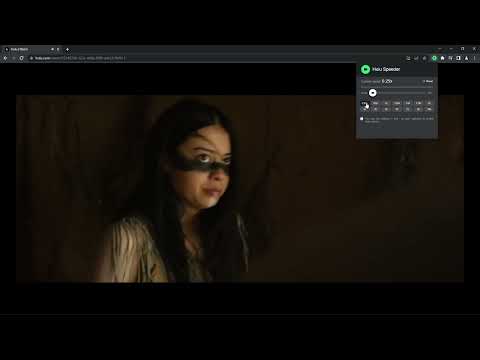
Extension allows to adjust the playback speed on Hulu according to your preferences
Get your skates on and be in control of the playback speed on Hulu. This extension will allow you to either speed up or slow down shows and movies to enjoy watching your favorite content at your own pace. Didn't catch that fast-talking dialogue? Want to experience your favorite scenes in slow-motion? Or maybe you'd like to fast forward the less interesting part to enjoy the series finale? You're in the right place! Here's the solution for changing the video speed. All you need to do is to add the extension to your browser and run the control panel which enables you to choose from 0.25x up to 16x speed rates. You can also use hotkeys on your keyboard to control it. It is as simple as that! How to find Speeder's control panel: 1. After installation, click the small puzzle piece icon next to your Chrome profile avatar (top right corner of the browser window) 2. You'll see all your installed and enabled extensions. 3. You can pin Speeder to have it always on top in your browser. 4. Click the Speeder icon and try different speed settings. This extension is part of the Quality Viewership Initiative, a collaborative effort to enhance the understanding of audience engagement. It collects anonymous, aggregated viewing insights to support creators and studios in improving the quality of their content. You can stop sharing your information at any time by switching the toggle on the options page. Disclaimer : Hulu is a trademark of Disney Media and Entertainment Distribution. This website & extension hold no association or affiliation with Hulu or any third-party companies.
4,3 iš 524 įvertinimai
Išsami informacija
- Versija1.2.10
- Atnaujinta2026 m. balandžio 17 d.
- Pasiūlėdogooodapp
- Dydis123KiB
- KalbosKalbų: 8
- KūrėjasHideApp
1021 East Lincolnway Cheyenne, WY 82001 USEl. paštas
dogooodapp@gmail.comTelefonas
+1 802-284-5301 - Komercinės veiklos subjektasPagal šią Europos Sąjungos pateiktą apibrėžtį šis kūrėjas prisistato kaip prekiautojas ir įsipareigoja siūlyti tik tuos produktus ar paslaugas, kurie atitinka ES įstatymus.
- D-U-N-S132615120
Privatumas

„Hulu Speeder: adjust playback speed [QVI]“ paskelbė toliau nurodytą informaciją dėl jūsų duomenų rinkimo ir naudojimo. Išsamesnės informacijos galima rasti peržiūrėjus kūrėjo privacy policy.
Hulu Speeder: adjust playback speed [QVI] tvarko:
Šis kūrėjas pareiškia, kad jūsų duomenys yra
- Neparduodama trečiosioms šalims su patvirtintais naudojimo atvejais nesusijusiais tikslais
- nenaudojami ir neperkeliami su elemento pagrindinėmis funkcijomis nesusijusiais tikslais;
- nenaudojami ir neperkeliami, siekiant nustatyti kreditingumą, arba skolinimo tikslais.
Palaikymas
Jei turite klausimų, pasiūlymų arba kilo problemų, atidarykite šį puslapį stalinio kompiuterio naršyklėje