Item logo image for Hubspot Assistant: Consistent naming, compliant assets, tidy instance!

Hubspot Assistant: Consistent naming, compliant assets, tidy instance!

PORTQII PTE. LTD.
Item media 6 (screenshot) for Hubspot Assistant: Consistent naming, compliant assets, tidy instance!
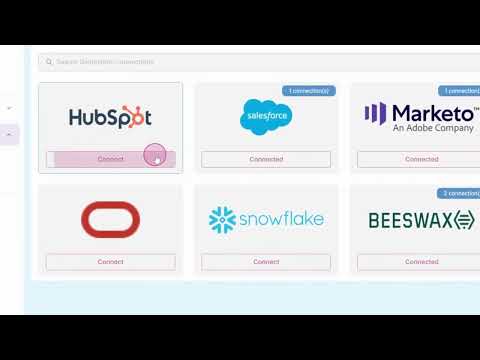
Item video thumbnail
Item media 2 (screenshot) for Hubspot Assistant: Consistent naming, compliant assets, tidy instance!
Item media 3 (screenshot) for Hubspot Assistant: Consistent naming, compliant assets, tidy instance!
Item media 4 (screenshot) for Hubspot Assistant: Consistent naming, compliant assets, tidy instance!
Item media 5 (screenshot) for Hubspot Assistant: Consistent naming, compliant assets, tidy instance!
Item media 6 (screenshot) for Hubspot Assistant: Consistent naming, compliant assets, tidy instance!
Item video thumbnail
Item media 2 (screenshot) for Hubspot Assistant: Consistent naming, compliant assets, tidy instance!
Item media 3 (screenshot) for Hubspot Assistant: Consistent naming, compliant assets, tidy instance!
Item media 4 (screenshot) for Hubspot Assistant: Consistent naming, compliant assets, tidy instance!
Item media 5 (screenshot) for Hubspot Assistant: Consistent naming, compliant assets, tidy instance!
Item media 6 (screenshot) for Hubspot Assistant: Consistent naming, compliant assets, tidy instance!

Overview

Automate your naming conventions. Ensure every Hubspot asset is compliant, searchable, and organized.

"Struggling with inconsistent or unclear naming across your Hubspot instance? Spending time tracking naming rules or correcting team errors? Hubspot Assistant eliminates naming chaos and brings structure to every Hubspot instance. Hubspot is a powerful Chrome extension that acts as your intelligent assistant for naming assets within Hubspot. It streamlines your workflow, enforces consistency, and helps you maintain a clean and organized Hubspot instance. Say goodbye to naming chaos and hello to effortless organization. Key Features: Intelligent Name Generation: Automatically generate asset names based on your predefined naming conventions. Hubspot understands program types, dates, and other variables to create the perfect name every time. Customizable Naming Patterns: Easily configure your organization's unique naming conventions within the extension. Hubspot adapts to your needs, whether you use abbreviations, dates, or specific descriptive tags. Real-time Validation: Get instant feedback on your asset names as you type. Hubspot will highlight any deviations from your established conventions, helping you catch errors before they happen. Quick-Copy Functionality: With a single click, copy the generated asset name to your clipboard and paste it directly into Marketo. It's that simple! Context-Aware Suggestions: Hubspot Assistant is smart enough to suggest relevant naming components based on the type of asset you are creating, whether it's an email, landing page, or smart campaign. Why You'll Love : Save Time and Reduce Errors: Eliminate the manual effort of creating and validating asset names. Hubspot assistant automates the process, so you can focus on what matters most: creating amazing marketing campaigns. Improve Team Collaboration: Ensure everyone on your team is following the same naming standards. This leads to better organization, easier reporting, and a more efficient workflow for everyone. Multi-Asset Support: Create and modify Hubspot assets—including Emails, Landing Pages, and Forms and segments directly from the extension. Workspace, Template & Folder Selection: Choose workspace, templates, and folder destinations without leaving the extension. Tagging Support: Apply or create tags on the fly to keep assets easy to categorize, discover, and report on. Enhance Searchability and Reporting: Consistent naming makes it a breeze to find the assets you're looking for and to generate accurate reports. No more digging through a messy instance! Onboard New Team Members Faster: New hires can get up to speed quickly with your organization's naming conventions, thanks to Hubspot assistant's intuitive guidance. Install Hubspot assistant today and take the first step towards a more organized and efficient Hubspot experience! "

Details

  • Version
    0.0.0.1
  • Updated
    December 23, 2025
  • Size
    10.28KiB
  • Languages
    English
  • Developer
    PORTQII PTE. LTD.
    Website
    Email
    portqii.extensions@gmail.com
    Phone
    +91 98453 54536
  • Trader
    This developer has identified itself as a trader per the definition from the European Union and committed to only offer products or services that comply with EU laws.
  • D-U-N-S
    659348709

Privacy

Manage extensions and learn how they're being used in your organization
The developer has disclosed that it will not collect or use your data. To learn more, see the developer’s privacy policy.

This developer declares that your data is

  • Not being sold to third parties, outside of the approved use cases
  • Not being used or transferred for purposes that are unrelated to the item's core functionality
  • Not being used or transferred to determine creditworthiness or for lending purposes

Support

For help with questions, suggestions, or problems, visit the developer's support site

Related

Copy To Notion: Clip anything to Notion

4.7

Easily capture, organize, and access all your online clips directly in Notion.

Cantrips.ai: Auto Rename Downloaded Files Based on Content

4.0

Automatically replace messy filenames with consistent and meaningful ones.

Bookmark Manager + Quick Search

5.0

Search, organize, and manage your bookmarks the smart way. Instant results every time.

HubSpot Custom NavBar

0.0

Customize your HubSpot sidebar navigation - hide, rename, reorder menus and items

Hnspector - Inspect headings

5.0

Inspect heading structure for SEO. Find, highlight and copy on any H tag on a web page.

Easy Highlight - Automatic Keyword Highlight

2.9

Automatically detect and highlight multiple words and phrases from your customized list on any webpage

Klu Meet

5.0

Automatically transcribe and summarize your Google Meet, Teams & Zoom calls. AI meeting notetaker for effortless knowledge capture.

Tab Harbor - Auto-organize tabs to Notion

0.0

Automatically organizes tabs and saves them to Notion.

Chrome Bookmark Assistant

0.0

Find and clean up broken, duplicate, and unused bookmarks automatically

Adobe Target Activity Inspector

0.0

Detect and understand Adobe Target activities (at.js & Alloy.js) with real activity names and response tokens.

Highlighter Extension

5.0

Discover highlighter extension that auto-colors your keywords; finds and highlights what’s vital instantly!

Salesforce Change Set Helper

4.5

Enhances the Salesforce change set. Adds last changed date and allows sorting, searching, validation and comparison with other orgs.

Copy To Notion: Clip anything to Notion

4.7

Easily capture, organize, and access all your online clips directly in Notion.

Cantrips.ai: Auto Rename Downloaded Files Based on Content

4.0

Automatically replace messy filenames with consistent and meaningful ones.

Bookmark Manager + Quick Search

5.0

Search, organize, and manage your bookmarks the smart way. Instant results every time.

HubSpot Custom NavBar

0.0

Customize your HubSpot sidebar navigation - hide, rename, reorder menus and items

Hnspector - Inspect headings

5.0

Inspect heading structure for SEO. Find, highlight and copy on any H tag on a web page.

Easy Highlight - Automatic Keyword Highlight

2.9

Automatically detect and highlight multiple words and phrases from your customized list on any webpage

Klu Meet

5.0

Automatically transcribe and summarize your Google Meet, Teams & Zoom calls. AI meeting notetaker for effortless knowledge capture.

Tab Harbor - Auto-organize tabs to Notion

0.0

Automatically organizes tabs and saves them to Notion.

Google apps
