

HubProspect: LinkedIn HubSpot CRM Sync
5 ratings
)
Overview
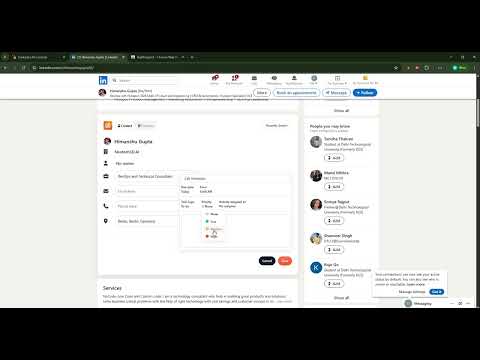
Sync LinkedIn contacts, companies, conversations, and tasks with HubSpot CRM-all without leaving LinkedIn.
HubProspect helps sales teams save time by syncing LinkedIn contacts, companies, conversations, and tasks with HubSpot CRM in one click—while preventing duplicate records. 💼Import LinkedIn Contacts to HubSpot: Create or update HubSpot contacts in one click with smart duplicate detection. 💬 Sync LinkedIn Conversations: Log LinkedIn chats directly to the correct HubSpot contact timeline. 🏢 Sync Companies: Save company details and automatically associate contacts with companies. 🔗 Connect HubSpot to LinkedIn: No more tab switching, view and edit HubSpot fields directly on LinkedIn. 🛠️ Simple Setup: - Install our Chrome extension - Connect LinkedIn to HubSpot in one click - Start using our app to import LinkedIn contacts & log LinkedIn messages to HubSpot in 1-click 🆓 Connect HubSpot to LinkedIn for FREE - Add unlimited contacts - Sync LinkedIn messages - Create & update companies - Create tasks & notes - Edit custom properties - Multi-account support 🔒 Privacy & Security: HubProspect uses secure HubSpot OAuth authentication. Your data is never stored unnecessarily and is only used to perform the actions you request. 📧 Support: developer@grorapid.com
4.8 out of 55 ratings
Details
- Version1.3.3
- UpdatedSeptember 11, 2026
- Offered byTanuj Gupta
- Size221KiB
- LanguagesEnglish
- Developer
Email
developer@grorapid.com - Non-traderThis developer has not identified itself as a trader. For consumers in the European Union, please note that consumer rights do not apply to contracts between you and this developer.
Privacy

This developer declares that your data is
- Not being sold to third parties, outside of the approved use cases
- Not being used or transferred for purposes that are unrelated to the item's core functionality
- Not being used or transferred to determine creditworthiness or for lending purposes
Support
For help with questions, suggestions, or problems, please open this page on your desktop browser