


Overview
Convert webpages to Markdown. Easily convert headers, text, tables or code snippets to Markdown.
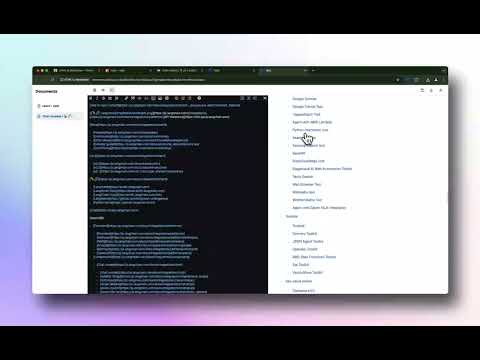
HTML to Markdown — convert any webpage into clean, ready-to-use Markdown in a single click. As a developer, I kept needing to pull high-quality documentation off the web and reformat it for AI chat tools, READMEs, and notes. So I built HTML to Markdown: a free, privacy-first extension that turns any page into clean Markdown instantly — perfect for feeding into large language models like ChatGPT and Claude, or anywhere else you write. WHAT YOU CAN DO • One-click convert — turn the current page into Markdown instantly. • Choose your scope — grab just the Main Content (skips nav, ads, and sidebars) or the Full Page, exactly as rendered. • Select Section — click or drag to capture only the part of the page you want. • Built-in editor — every conversion opens in a Markdown editor with live split preview, a formatting toolbar, and a document library. • Copy, download, or print — copy to your clipboard, save as a .md file, or print in one click. • Clean output — headings, lists, tables, code blocks, links, and images convert faithfully. PRIVATE & FREE • 100% free — no account, no sign-up, no subscription. • Privacy-first — everything runs locally in your browser; your content is never sent to a server. • Works offline after installation. PERFECT FOR • Developers — pull docs and code snippets into READMEs, project notes, or LLM prompts. • AI users — capture web content as Markdown to feed ChatGPT, Claude, and other AI chats. • Bloggers & content creators — repurpose articles and research into your own posts. • Students & researchers — extract information from online sources for papers and reports. • Technical writers — convert web content into guides and documentation. • Note-takers — save articles and docs as clean Markdown notes. Install HTML to Markdown and turn the web into clean Markdown in one click.
4.7 out of 59 ratings
Details
- Version0.2.3
- UpdatedSeptember 3, 2026
- Size1.35MiB
- Languages20 languages
- DeveloperWebsite
Email
support@fullstackeric.com - Non-traderThis developer has not identified itself as a trader. For consumers in the European Union, please note that consumer rights do not apply to contracts between you and this developer.
Privacy

HTML to Markdown has disclosed the following information regarding the collection and usage of your data. More detailed information can be found in the developer's privacy policy.
HTML to Markdown handles the following:
This developer declares that your data is
- Not being sold to third parties, outside of the approved use cases
- Not being used or transferred for purposes that are unrelated to the item's core functionality
- Not being used or transferred to determine creditworthiness or for lending purposes
Support
For help with questions, suggestions, or problems, visit the developer's support site