


Ringkasan
Blocks desired HTML contents (script, style, image, object, media)
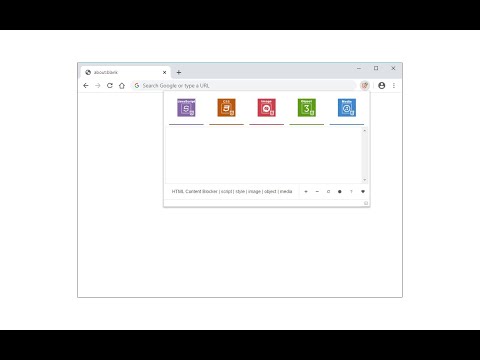
HTML Content Blocker provides a user-friendly interface to quickly block various HTML contents (Script, Style, Image, Object, and Media) on any webpage. To work with this addon, please open the toolbar popup and press the desired content button (at the top) to block, then reload the tab. This extension has two modes to operate. The first and default mode is Global. In this mode, the addon is active for all domains except those listed in the allow-list table. The other mode is per-domain, where the addon is active only for the domains in the block-list table. To switch modes, please press the toggle button at the bottom-left corner of the interface. To add domains to the allowlist or blocklist table, please navigate to a website, then press the plus (+) button at the bottom footer. Likewise, to remove the domain from the table, press the minus (-) button. Badge icon text shows the number of blocked items for the active tab. Note: The toolbar popup interface supports dark mode. To switch the interface theme to dark, please press the moon icon on the bottom toolbar. To report bugs, please visit the addon's homepage and fill out the bug report form (https://mybrowseraddon.com/html-content-blocker.html).
3,8 dari 580 rating
Detail
- Versi0.2.4
- Diupdate11 Mei 2026
- Ditawarkan olehBenni
- Ukuran36.92KiB
- BahasaEnglish
- Developer
Email
benni.es@yahoo.com - Non-pedagangDeveloper ini tidak mengidentifikasi diri sebagai pedagang. Bagi konsumen di Uni Eropa, perlu diperhatikan bahwa hak konsumen tidak berlaku untuk kontrak antara Anda dan developer ini.
Privasi

Developer ini menyatakan bahwa data Anda
- Tidak dijual ke pihak ketiga, di luar kasus penggunaan yang disetujui
- Tidak digunakan atau ditransfer untuk tujuan yang tidak terkait dengan fungsi inti item
- Tidak digunakan atau ditransfer untuk menentukan kelayakan kredit atau untuk tujuan pinjaman
Dukungan
Untuk mendapatkan bantuan terkait pertanyaan, saran, atau masalah, kunjungi situs dukungan developer