


概要
Blocks desired HTML contents (script, style, image, object, media)
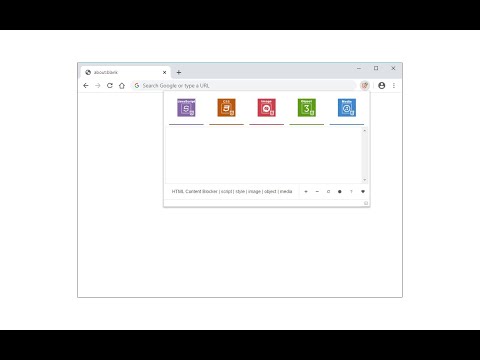
HTML Content Blocker provides a user-friendly interface to quickly block various HTML contents (Script, Style, Image, Object, and Media) on any webpage. To work with this addon, please open the toolbar popup and press the desired content button (at the top) to block, then reload the tab. This extension has two modes to operate. The first and default mode is Global. In this mode, the addon is active for all domains except those listed in the allow-list table. The other mode is per-domain, where the addon is active only for the domains in the block-list table. To switch modes, please press the toggle button at the bottom-left corner of the interface. To add domains to the allowlist or blocklist table, please navigate to a website, then press the plus (+) button at the bottom footer. Likewise, to remove the domain from the table, press the minus (-) button. Badge icon text shows the number of blocked items for the active tab. Note: The toolbar popup interface supports dark mode. To switch the interface theme to dark, please press the moon icon on the bottom toolbar. To report bugs, please visit the addon's homepage and fill out the bug report form (https://mybrowseraddon.com/html-content-blocker.html).
5 点満点で 3.880 件の評価
詳細
- バージョン0.2.4
- 更新:2026年5月11日
- 提供元Benni
- サイズ36.92KiB
- 言語English
- デベロッパー
メール
benni.es@yahoo.com - 非取引業者このデベロッパーは取引業者として申告していません。EU 加盟国の消費者とこのデベロッパーとの間に締結された契約には、消費者の権利が適用されません。
プライバシー

このデベロッパーは、お客様のデータについて以下を宣言しています
- 承認されている以外の用途で第三者に販売しないこと
- アイテムの中心機能と関係のない目的で使用または転送しないこと
- 信用力を判断する目的または融資目的で使用または転送しないこと
サポート
質問や提案、問題がある場合は、デベロッパーのサポートサイトにアクセスしてください。