


Overview
Multi-case conversion, single-line cleanup, history tracking, and direct keybind processing.
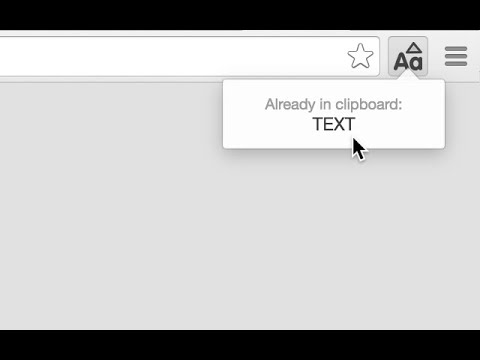
⚡ Clipboard Transformer Pro — The ultimate text formatting & case converter designed to supercharge your daily workflow! Transform messy, multi-line text into clean, single-line UPPERCASE (or 5+ other formats) instantly using Ctrl+Q, a right-click context menu, or a single click. No extra steps, no workspace clutter. ✨ Key Features 🚀 Instant Keybind (Ctrl+Q): Convert your clipboard on the fly without breaking focus. 🔤 Multi-Case Switcher: Seamlessly convert between UPPERCASE, lowercase, Title Case, Sentence case, camelCase, and kebab-case. 🧹 Smart Cleaners: Automatically flatten line breaks, collapse extra spaces, strip emojis, or remove punctuation. 📋 3-Item Clipboard History: Easily recall, preview, and re-copy your most recent transformations. 🎯 Prefix & Suffix Wrapping: Auto-enclose converted text with custom quotes, brackets [], or tags. 🔔 Sleek In-Browser Toast: Clean, top-right popup confirmation that never touches your OS notification tray. 📊 Live Analytics Counter: Real-time character and word counts right in your tool header. 💡 How to Use Copy or highlight any block of text. Press Ctrl+Q (or right-click to select Convert selection). Your newly formatted single-line text is instantly written to your clipboard, ready to paste! 🔒 Privacy First: 100% client-side execution. Zero analytics, zero data collection, no external server calls.
5 out of 51 rating
Details
- Version2.6
- UpdatedAugust 16, 2026
- Size16.37KiB
- LanguagesEnglish
- DeveloperWebsite
Email
helpdesk@fastwasms.in - Non-traderThis developer has not identified itself as a trader. For consumers in the European Union, please note that consumer rights do not apply to contracts between you and this developer.
Privacy

This developer declares that your data is
- Not being sold to third parties, outside of the approved use cases
- Not being used or transferred for purposes that are unrelated to the item's core functionality
- Not being used or transferred to determine creditworthiness or for lending purposes
Support
For help with questions, suggestions, or problems, please open this page on your desktop browser