

AI Listing Assistant
2 ratings
)
Overview
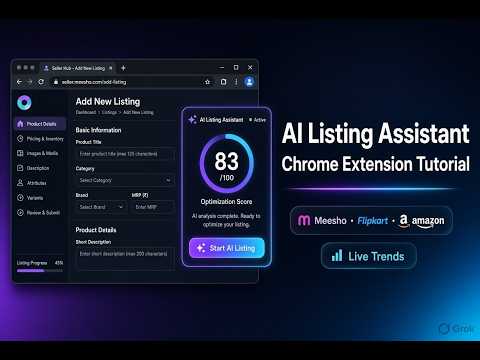
AI listings for Meesho, Flipkart & Amazon — marketplace-specific trends, order-focused copy, under your review.
AI Listing Assistant helps Indian sellers create better product listings on Meesho, Flipkart, Amazon and other marketplaces from product photos — in your voice, under your review. WHAT IT DOES • Detects product images on the seller listing page • Generates title, description, search keywords, key features and other fields using AI • Supports seller tones: Balanced, Generic, Reseller, Premium, Max search • Optional competitor links — researches competitor listings first, then builds stronger titles and content to compete • Autofills the form step by step so you stay in control • Uses YOUR own AI API key (Gemini free tier, OpenAI, Claude, Grok, etc.) — no shared keys Flipkart-specific: titles stay under 80 characters and avoid stuffing dimensions, colour or technical specs into the title (those go in description / features). SETUP — API KEY (required once) 1. Open the extension → Settings (gear icon) 2. Choose your AI engine (Gemini recommended for free) 3. Paste your API key 4. Click “Test connection” — wait for the green tick 5. Optional: click “Get free Gemini API key” to open Google AI Studio and create a key How to get a free Gemini key: • Go to https://aistudio.google.com/api-keys • Sign in with Google → Create API key → Copy and paste into Settings HOW TO USE 1. Open a product listing page on Meesho / Flipkart Seller Hub / Amazon 2. Click the extension icon 3. (Optional) Add competitor product links and choose a seller tone 4. Click “AI Listing” / Start 5. Review the generated title, description and fields 6. Click Autofill — fields fill one by one; you can edit anything before submitting on the marketplace OTHER FEATURES • Scan listing — rates the current page and suggests improvements for more views/orders • Competitor research — paste competitor URLs so AI writes to compete with them • Seller tone — change how formal, generic or search-focused the copy is • Custom prompts — save your own instructions in Settings • Inventory Status (optional) — manage sheets/inventory from the same account where available IMPORTANT • You always review AI output before submitting a listing • The extension does not invent specs that are not visible in product images • Use your own API key; costs depend on the provider you choose (Gemini has a free tier) • We do not guarantee order or ranking boosts — always double-check content before publish Support: supportailistingassistant@gmail.com
5 out of 52 ratings
Details
- Version1.6.18
- UpdatedOctober 12, 2026
- FeaturesOffers in-app purchases
- Offered byAI Tools
- Size248KiB
- LanguagesEnglish
- Developer
Email
officialailistingassistant@gmail.com - Non-traderThis developer has not identified itself as a trader. For consumers in the European Union, please note that consumer rights do not apply to contracts between you and this developer.
Privacy

AI Listing Assistant has disclosed the following information regarding the collection and usage of your data. More detailed information can be found in the developer's privacy policy.
AI Listing Assistant handles the following:
This developer declares that your data is
- Not being sold to third parties, outside of the approved use cases
- Not being used or transferred for purposes that are unrelated to the item's core functionality
- Not being used or transferred to determine creditworthiness or for lending purposes
Support
For help with questions, suggestions, or problems, please open this page on your desktop browser