


概要
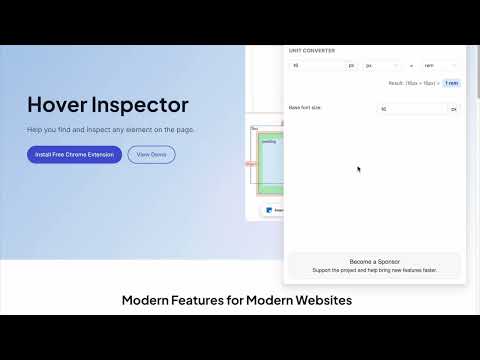
Inspector is the tool which mimic display dimension between selected and hover element. It would be good for designers, QA
version 3.1.1 - fix bugs, - - fix esc key press behavior - - fix formation css rule - - fix popup display position - add hovered element version 3.1.0 - update UI - add new features - prepare project to new features version 3.0.2 - fix bug: prevent click(thanks Marcelo Alejandro) - add background rule permission for save setting version 3.0.1 - fix bug: extension dropped (thanks @invisioN7) version 3.0.0 - refactor core(prepare for the new features) - add sidebar (setting, more details of selected element) - add freezing selected element after 2 click - press 'space' for unfreeze selected element - add link to discord - add uninstall form - fixed calculation position of popup version 2.0.0 - used ReactJS (expected simplifying of maintain and support) - add data: padding, margin, font, color, background, line-height, class, id - fixed calculation position of popup version 1.1.0 - add highline padding(green color) and margin(orange color). - fix bugs version 1.0.5.1 - minify file for more faster loading version 1.0.5 - add top bar with styles(padding, margin, font-size, height, width) for hover and selected element - fixed bugs (when user scroll label and lines position not display correctly) - add change style for label which display height and width hovered element - change active and regular icon: - add 2 hotkeys: -- command + enter / ctrl + enter - for hide/show topbar -- esc for close extension version 1.0.4 - add functionality when start scroll - change color of labels - add dimension calculating when selected located in hovered element version 1.0.3 - add dimension calculating when hovered located outside selected element
5 点満点で 4.832 件の評価
詳細
- バージョン3.1.1
- 更新:2025年6月3日
- 提供元Liubomyr Kozak
- サイズ429KiB
- 言語English
- デベロッパー
メール
liubomyr.kozak@gmail.com - 非取引業者このデベロッパーは取引業者として申告していません。EU 加盟国の消費者とこのデベロッパーとの間に締結された契約には、消費者の権利が適用されません。
プライバシー
Hover inspector like in Zeplin , Figma から、お客様のデータの収集と使用に関する以下の情報が開示されています。 詳しくは、デベロッパーの privacy policy をご確認ください。
Hover inspector like in Zeplin , Figma は次を扱います。
このデベロッパーは、お客様のデータについて以下を宣言しています
- 承認されている以外の用途で第三者に販売しないこと
- アイテムの中心機能と関係のない目的で使用または転送しないこと
- 信用力を判断する目的または融資目的で使用または転送しないこと
サポート
質問や提案、問題がある場合は、パソコンのブラウザでこのページを開いてください