


खास जानकारी
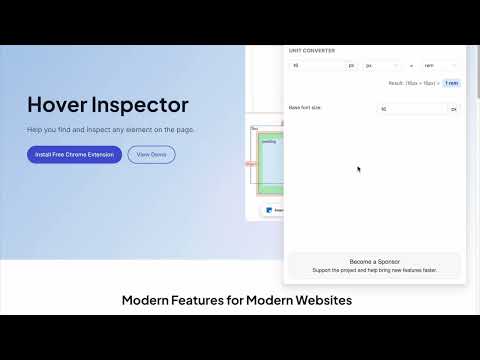
Inspector is the tool which mimic display dimension between selected and hover element. It would be good for designers, QA
version 3.1.1 - fix bugs, - - fix esc key press behavior - - fix formation css rule - - fix popup display position - add hovered element version 3.1.0 - update UI - add new features - prepare project to new features version 3.0.2 - fix bug: prevent click(thanks Marcelo Alejandro) - add background rule permission for save setting version 3.0.1 - fix bug: extension dropped (thanks @invisioN7) version 3.0.0 - refactor core(prepare for the new features) - add sidebar (setting, more details of selected element) - add freezing selected element after 2 click - press 'space' for unfreeze selected element - add link to discord - add uninstall form - fixed calculation position of popup version 2.0.0 - used ReactJS (expected simplifying of maintain and support) - add data: padding, margin, font, color, background, line-height, class, id - fixed calculation position of popup version 1.1.0 - add highline padding(green color) and margin(orange color). - fix bugs version 1.0.5.1 - minify file for more faster loading version 1.0.5 - add top bar with styles(padding, margin, font-size, height, width) for hover and selected element - fixed bugs (when user scroll label and lines position not display correctly) - add change style for label which display height and width hovered element - change active and regular icon: - add 2 hotkeys: -- command + enter / ctrl + enter - for hide/show topbar -- esc for close extension version 1.0.4 - add functionality when start scroll - change color of labels - add dimension calculating when selected located in hovered element version 1.0.3 - add dimension calculating when hovered located outside selected element
5 में से 4.832 रेटिंग
वर्णन
- वर्शन3.1.1
- पिछली बार अपडेट होने की तारीख:3 जून 2025
- ऑफ़र करने वालाLiubomyr Kozak
- आकार429KiB
- भाषाएंEnglish
- डेवलपर
ईमेल
liubomyr.kozak@gmail.com - गैर-व्यापारीइस डेवलपर ने अपनी पहचान व्यापारी के तौर पर ज़ाहिर नहीं की है. अगर आप यूरोपियन संघ के किसी देश में रहने वाले उपभोक्ता हैं, तो आपके और डेवलपर के बीच हुए समझौते पर उपभोक्ता के अधिकार लागू नहीं होंगे.
निजता
Hover inspector like in Zeplin , Figma में यह जानकारी दी गई है कि आपके डेटा को कैसे इकट्ठा और इस्तेमाल किया जाता है. ज़्यादा जानकारी के लिए, डेवलपर की privacy policy देखें.
Hover inspector like in Zeplin , Figma, निजता से जुड़े इस डेटा को मैनेज करता है:
डेवलपर ने एलान किया है कि आपका डेटा
- जिन मामलों में इस्तेमाल की मंज़ूरी दी गई है उनके अलावा, किसी भी तीसरे पक्ष को नहीं बेचा जाता
- किसी ऐसे मकसद से इस्तेमाल या ट्रांसफ़र नहीं किया जाता जो आइटम के मुख्य फंक्शन के हिसाब से ज़रूरी नहीं है
- क़र्ज़ लेने या क़र्ज़ देने की स्थिति तय करने के लिए इस्तेमाल या ट्रांसफ़र नहीं किया जाता
सहायता
सवालों, सुझावों या समस्याओं से जुड़ी मदद पाने के लिए, कृपया इस पेज को डेस्कटॉप ब्राउज़र पर खोलें