


Ringkasan
Designers, skip the copy/paste routine for product sourcing and let the Houzz Pro Clipper do the heavy lifting.
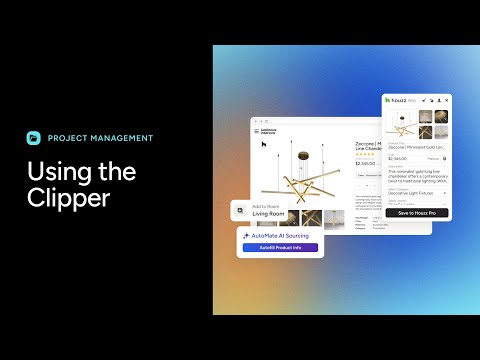
Skip the tedious copy/paste sourcing routine and let the Houzz Pro Clipper with AutoMate smart sourcing do the heavy lifting for you. Clip from any website and instantly pull in images, descriptions, dimensions, pricing, SKUs, and more. AutoMate intelligently scans the entire page, finding product details no matter where vendors hide them, saving you the time and frustration of digging through dozens of layouts. Add items directly into a project room to quickly build mood boards,selections boards, tear sheets, proposals, and more. Choose exactly which details to show clients and which to keep private. Everything you clip is automatically saved to your Houzz Pro product library so you can reuse items anytime—never clip the same product twice. Join the 96% of designers who save time sourcing products online with the enhanced Clipper. By using the Houzz Pro Clipper browser extension, you agree to Houzz’s Terms of Use and Privacy Policy.
3,1 dari 529 rating
Detail
- Versi6.4
- Diupdate27 Februari 2026
- Ukuran1009KiB
- Bahasa9 bahasa
- DeveloperHouzz Inc.Situs Web
8605 Santa Monica Blvd West Hollywood, CA 90069-4109 USEmail
support@ivymark.comTelepon
+1 949-390-1060 - PedagangDeveloper ini telah mengidentifikasi diri sebagai pedagang berdasarkan definisi dari Uni Eropa dan berkomitmen untuk hanya menawarkan produk atau layanan yang mematuhi hukum Uni Eropa.
- D-U-N-S053507875
Privasi

Houzz Pro Clipper telah mengungkapkan informasi berikut ini terkait pengumpulan dan penggunaan data Anda. Informasi lebih mendetail dapat dilihat di privacy policy developer.
Houzz Pro Clipper menangani hal berikut:
Developer ini menyatakan bahwa data Anda
- Tidak dijual ke pihak ketiga, di luar kasus penggunaan yang disetujui
- Tidak digunakan atau ditransfer untuk tujuan yang tidak terkait dengan fungsi inti item
- Tidak digunakan atau ditransfer untuk menentukan kelayakan kredit atau untuk tujuan pinjaman
Dukungan
Untuk mendapatkan bantuan terkait pertanyaan, saran, atau masalah, buka halaman ini di browser desktop Anda