


Overview
Airbnb analytics for hosts: track views, conversion & bookings over time, and see whether each listing edit actually helped.
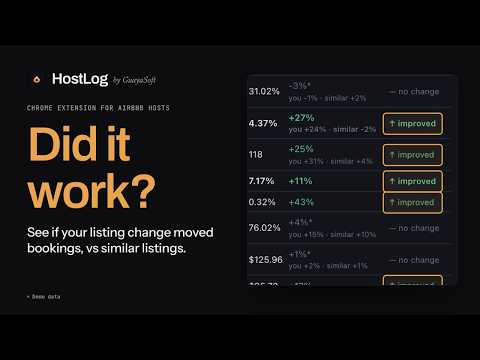
Stop guessing what actually moved your Airbnb bookings. You changed the cover photo, lowered the price and rewrote the title. Bookings went up, or down. Which change did it? Airbnb's dashboard shows your numbers but doesn't remember what you changed or when. HostLog keeps track of both and tells you which edits actually worked. WHAT HOSTLOG DOES ⚡ Logs your edits automatically Each time you open your listing editor, HostLog notes your title, description, photos (cover, top 5 and gallery order), nightly price and discounts, availability rules, amenities and capacity. When something changes, it's logged with a date. You don't have to write anything down. 📊 Keeps your full performance history Airbnb only shows a limited window. HostLog builds a week-by-week history of your listing's funnel and keeps it as long as you use it: first-page impressions, search-to-listing rate, page views, listing-to-booking rate, overall conversion, occupancy, nightly rate and revenue per available night (RevPAR). Your edits show up as markers right on the charts. ✅ Tells you whether a change worked For each edit, HostLog compares the weeks before and after and gives a clear verdict: improved, declined, flat or too early to tell. It uses statistical tests, not just eyeballing a chart. Where possible it compares you with similar listings, so a seasonal swing isn't mistaken for your change. It also shows what the change meant for revenue. Made several edits at once? Group them and get one verdict for the whole set. 💡 Suggests what to try next (Pro) HostLog compares your last month with similar listings. It tells you whether your price looks low, high or about right, and which stage of your funnel is falling behind: being seen, getting clicked or getting booked. Then it suggests one specific change to test next, based on your listing's current settings. It remembers what you've already tried, so a price rise that cost you revenue won't be suggested again. 🏠 For one listing or many Switch between properties and keep a separate history and change log for each. 🔒 Private and lightweight HostLog never asks for your Airbnb password and never acts on your listings. It only reads the data your own host dashboard already loads while you browse. Your history is stored on your device. HOW IT WORKS Add HostLog to Chrome. Use your Airbnb host dashboard as usual. HostLog captures your metrics and edits in the background. Open the HostLog side panel to see your charts, your change log and whether each change worked. PLANS Free: full history and change tracking for one listing, with a verdict on every change. Pro: unlimited listings plus Insights (pricing position, funnel diagnosis and "Next to try" suggestions). Start with a 7-day free trial. Sign in with Google. WHO IT'S FOR Hosts and Superhosts who tweak their listings and want to know what's working, from single-property owners to hosts managing several listings. Disclaimer: HostLog is an independent product by GuayaSoft. It is not affiliated with, authorized, maintained, sponsored or endorsed by Airbnb.
5 out of 51 rating
Details
- Version1.2.1
- UpdatedOctober 10, 2026
- FeaturesOffers in-app purchases
- Size138KiB
- LanguagesEnglish (United States)
- DeveloperWebsite
Email
support@guayasoft.co - Non-traderThis developer has not identified itself as a trader. For consumers in the European Union, please note that consumer rights do not apply to contracts between you and this developer.
Privacy

HostLog — Airbnb Analytics & Stats has disclosed the following information regarding the collection and usage of your data. More detailed information can be found in the developer's privacy policy.
HostLog — Airbnb Analytics & Stats handles the following:
This developer declares that your data is
- Not being sold to third parties, outside of the approved use cases
- Not being used or transferred for purposes that are unrelated to the item's core functionality
- Not being used or transferred to determine creditworthiness or for lending purposes