


Overview
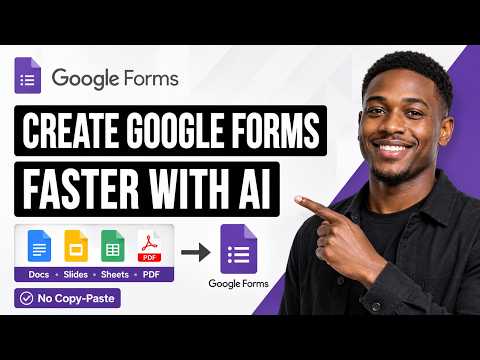
Generate Google Forms from Docs, Slides, Sheets, PDFs, and prompts. Create quizzes and assessments with AI in Google Workspace.
🚀 Create fully formatted Google Forms quizzes in seconds using ChatGPT — directly from your google documents, notes, PDFs, or prompts. As a teacher, this extension saves you hours of manually copying and formatting questions in Google Forms for your assessments. Skip the copy-paste, setup, and scripts—everything is generated and organized automatically for you. If you already have existing Google Forms, you can use this extension to add more questions, including MCQs, checkbox, true/false questions, and Cloze prompts, powered by AI. Ideal for anyone creating multiple choice question, survey, feedback, questionnaire, True/False, Mixed Quiz, and registration form. ━━━━━━━━━━━━━━━━━━━━ 📄 Create Google Forms From Your Files Turn existing content into ready-to-use Google Forms without copy-pasting. 📘 Google Docs → Google Forms Open any Google Doc, click the extension, and generate a Google Form directly from the document content. Perfect for: • Lesson notes • Study guides • Training materials • Meeting notes • Research documents 📊 Google Slides (PowerPoint) → Google Forms Convert presentations into quizzes, assessments, surveys, and questionnaires. Ideal for: • Classroom presentations • Lecture slides • Training decks • Workshop materials • Educational PowerPoints 📈 Google Sheets → Google Forms Generate forms from spreadsheets, tables, datasets, and structured information. Great for: • Assessments • Data collection forms • Surveys • Registration forms • Knowledge checks 📕PDF → Google Forms Upload a PDF and instantly convert it into a quiz, test, questionnaire, or survey. Supports: • Textbooks • Worksheets • Study materials • Training manuals • Reports ━━━━━━━━━━━━━━━━━━━━ ⭐ Generate Forms Directly From the Sidebar Simply open a Google Doc, Sheet, or Slide and click the extension icon. The extension automatically imports the content from the current file and lets you generate: • Multiple Choice Questions (MCQ) • Checkbox Questions • True/False Questions • Short Answer Questions • Cloze Questions • Mixed Question Types • Surveys • Feedback Forms • Registration Forms Everything is organized and formatted automatically. ━━━━━━━━━━━━━━━━━━━━ ⚡ The Fastest ChatGPT → Google Forms Workflow GPT Google Form Quiz Maker works seamlessly with ChatGPT and MyQuizGPT. 1. Upload or paste your content 2. Ask ChatGPT to create a quiz or form 3. Generate questions instantly 4. Open the generated form 5. Start collecting responses Instead of spending time formatting questions and answers, you get a ready-to-use Google Form in seconds. ━━━━━━━━━━━━━━━━━━━━ 🔥 Key Features • Create Google Forms from Google Docs • Convert Google Slides and PowerPoint presentations into quizzes • Generate forms from Google Sheets • Turn PDFs into assessments and surveys • AI-generated questions and answer options • Support for MCQ, True/False, Checkbox, Short Answer, and Cloze questions • Create surveys, questionnaires, and feedback forms • Direct Google Forms integration • Works inside Google Workspace • No coding or Google Apps Script required • Seamless ChatGPT integration ━━━━━━━━━━━━━━━━━━━━ 🎯 **Who It's For** 👩🏫 **Teachers** Create quizzes, tests, worksheets, assessments, and classroom activities in seconds. 🎓 **Students** Turn notes, PDFs, presentations, and study materials into practice quizzes. 📚 **Trainers & Educators** Build assessments and knowledge checks from training materials and presentations. 🏢 **Businesses & Teams** Create surveys, feedback forms, questionnaires, onboarding forms, and registration forms quickly. ━━━━━━━━━━━━━━━━━━━━ 💡 **Why Use GPT Google Form Quiz Maker?** Creating forms manually is time-consuming: • Copying content from documents • Writing questions • Formatting answer choices • Setting correct answers • Organizing sections GPT Google Form Quiz Maker automates the entire process. You focus on the content. AI handles the form creation. ━━━━━━━━━━━━━━━━━━━━ 🔒 Privacy & Security Your content is only used to generate forms and quizzes. We do not sell your data or use it for advertising. All processing is designed to help you create Google Forms quickly and securely. ━━━━━━━━━━━━━━━━━━━━ 🚀 Get Started Install the extension, open any Google Doc, Google Sheet, Google Slide, PDF, or note, and generate a fully formatted Google Form directly from the sidebar in seconds. ✨ From content to Google Form with a single click.
5 out of 54 ratings
Details
- Version1.5.5
- UpdatedSeptember 22, 2026
- Size177KiB
- LanguagesEnglish
- DeveloperConfidence Chigemezu OfoegbuWebsite
9 JACK MANILLA PEPPLE CHIEFTAINCY HOUSE BONNY, Rivers 503101 NGEmail
myquizgpt@gmail.comPhone
+234 810 090 3440 - TraderThis developer has identified itself as a trader per the definition from the European Union and committed to only offer products or services that comply with EU laws.
Privacy

GPT Google Form Quiz Maker has disclosed the following information regarding the collection and usage of your data. More detailed information can be found in the developer's privacy policy.
GPT Google Form Quiz Maker handles the following:
This developer declares that your data is
- Not being sold to third parties, outside of the approved use cases
- Not being used or transferred for purposes that are unrelated to the item's core functionality
- Not being used or transferred to determine creditworthiness or for lending purposes
Support
For help with questions, suggestions, or problems, visit the developer's support site