


Overview
Productivity focused extension to search, switch, and organize tabs across every window, from the keyboard.
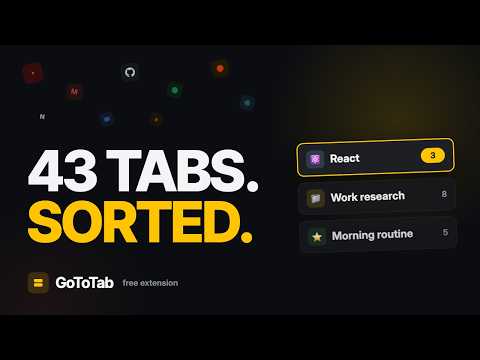
Search, switch, and organize tabs across every window — all from the keyboard. Too many tabs. Too many windows. One shortcut, a few letters, and you're on the right tab. ⚡ Find any tab, instantly Press ⌘/Ctrl + Shift + K, type a few letters, hit Enter. GoToTab searches every open tab in every window — even the one you lost three windows ago — and jumps straight to it. Arrow keys to move, Enter to open, Shift + W to close, Shift + Enter to pin. Your hand never leaves the keyboard. 🕘 Search your history in the same box The same search reaches past your open tabs into your browser history. That article you read last week, the doc you closed this morning — one search, no digging through menus. Free, for everyone. 📚 Save tabs into collections Group the tabs that matter into named collections — a project, your morning reading, a trip you're planning — and reopen the whole set in one click. Drag tabs in, or save an entire window with /save. Unlimited and free, kept in your browser, exportable whenever you want. 🧹 Tidy up in one keystroke /dedupe closes duplicates. /sweep clears out what's gone stale. /group bundles tabs by site. Mute a noisy tab, pin the ones you need, reorder by drag. GoToTab Pro — $4/month Everything above is free. Pro adds reach: collections and closed-tab history synced across all your devices, plus automatic cleanup that closes idle tabs and archives them so nothing is ever lost. Privacy No ads. Your browsing history never leaves your device. If you create an account we store your email and what you choose to save — your collections, and on Pro the tabs you close. We use basic product analytics to see which features get used, never URLs, page titles or what you type. We don't sell your data. Full policy: gototab.app/privacy Dark mode included. Available in English, 日本語 and 繁體中文. Bug or idea? feedback@gototab.app
4.1 out of 558 ratings
Details
- Version5.4.0
- UpdatedAugust 27, 2026
- FeaturesOffers in-app purchases
- Size208KiB
- LanguagesEnglish
- DeveloperWebsite
Email
praveen.dinesh6@gmail.com - Non-traderThis developer has not identified itself as a trader. For consumers in the European Union, please note that consumer rights do not apply to contracts between you and this developer.
Privacy

GoTo Tab has disclosed the following information regarding the collection and usage of your data. More detailed information can be found in the developer's privacy policy.
GoTo Tab handles the following:
This developer declares that your data is
- Not being sold to third parties, outside of the approved use cases
- Not being used or transferred for purposes that are unrelated to the item's core functionality
- Not being used or transferred to determine creditworthiness or for lending purposes
Support
For help with questions, suggestions, or problems, please open this page on your desktop browser