Item logo image for Hit TAB and ENTER on Google Search Results

Hit TAB and ENTER on Google Search Results

4.9(

8 ratings

)
Item video thumbnail

Overview

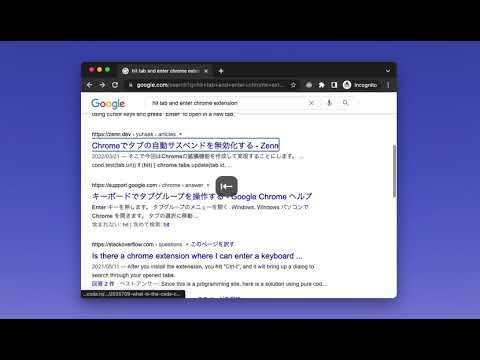
Move and choose a Google search result quickly with TAB and ENTER keys

0.7.0 Restore focus on search results & pagination after Google DOM change 0.6.3 Beautify outline of search results 0.6.2 Follow selector change of search textbox 0.6.1 Update the description 0.6.0 Able to focus on Top stories, Map, Videos, etc. by improving the selector 0.5.0 Add video results, fix footer pager selectors, improve speed, use manifest v3 0.4.4 Fix: Show outline on the first result again 0.4.3 Fix: multiple stylesheets can have outline: 0px 0.4.2 Fix: Show outline on the first search result again 0.4.1 Fix a bug 0.4.0 Force show focus ring 0.3.2 Reduced 63% size of the content script 0.3.1 fix: Unexpectedly opening auto complete for textbox 0.3.0 Update DOM selector for Chrome Version 69.0.3497.81 (Official Build) (64-bit) + 0.2.2 Skip ads, fixed query of target anchors

Details

  • Version
    0.7.0
  • Updated
    November 11, 2025
  • Offered by
    piglovesyou
  • Size
    4.53KiB
  • Languages
    English
  • Developer
    Email
    thepiglovesyou@gmail.com
  • Non-trader
    This developer has not identified itself as a trader. For consumers in the European Union, please note that consumer rights do not apply to contracts between you and this developer.

Privacy

Manage extensions and learn how they're being used in your organization
The developer has disclosed that it will not collect or use your data.

This developer declares that your data is

  • Not being sold to third parties, outside of the approved use cases
  • Not being used or transferred for purposes that are unrelated to the item's core functionality
  • Not being used or transferred to determine creditworthiness or for lending purposes

Related

Search navigator

4.5

Navigate search results with shortcuts

Focus Search Bar

4.0

Focus Search Bar extension will focus the search bar element on a website after pressing the keyboard shortcut CTRL + SPACE.

YouTube Quality ShortCut

3.0

Control YouTube video quality with simple keyboard shortcuts or an intuitive slider.

Google Search Quick Open

4.2

Google search result auto quick open in new tab

Google Search Keyboard Shortcuts

4.6

Adds keyboard shortcuts/hotkeys back to Google search results

Search result previewer

3.7

Quickly get a peek inside the search results in the search page itself

Move Tab Hotkeys

5.0

Hotkeys to move tabs around

Google Search Result Hotkeys

3.7

Navigate to Google Search results with the keyboard number keys. Press 1 to go to the first result, 2 to go the second, etc.

google-search-title-qualified

4.8

Google will omit the title of the web page. With this add-on, the original title is used as much as possible.

Search Select

5.0

Navigate and view search results quickly with shortcuts.

Keyboard Navigator for Google Search™

4.8

Navigate Google Search results using arrows and keyboard shortcuts.

New tab from search results

5.0

Open the Google search results link in a new tab.

Search navigator

4.5

Navigate search results with shortcuts

Focus Search Bar

4.0

Focus Search Bar extension will focus the search bar element on a website after pressing the keyboard shortcut CTRL + SPACE.

YouTube Quality ShortCut

3.0

Control YouTube video quality with simple keyboard shortcuts or an intuitive slider.

Google Search Quick Open

4.2

Google search result auto quick open in new tab

Google Search Keyboard Shortcuts

4.6

Adds keyboard shortcuts/hotkeys back to Google search results

Search result previewer

3.7

Quickly get a peek inside the search results in the search page itself

Move Tab Hotkeys

5.0

Hotkeys to move tabs around

Google Search Result Hotkeys

3.7

Navigate to Google Search results with the keyboard number keys. Press 1 to go to the first result, 2 to go the second, etc.

Google apps