

Koglify Visuals - Auto Zoom Screen Recorder & Video Editor

Overview
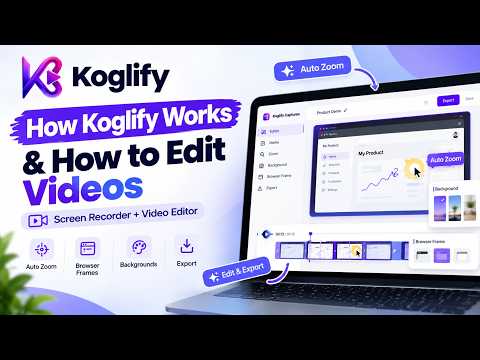
Screen recorder that auto-zooms on your clicks. Webcam, mic, trim, backgrounds and HD MP4 export. Recordings stay on your device.
Most standard screen recordings look flat, and viewers easily miss small details or quick mouse clicks. Koglify Captures solves this by recording your browser and automatically zooming in on the areas you interact with, giving your videos a clean, professional feel without requiring any manual video editing. You can record your entire screen, an application window, or a specific browser tab in high definition. The extension allows you to capture your microphone audio alongside tab audio, and you can enable a floating webcam overlay to include your face and reactions in your walkthroughs. Instead of spending hours setting up camera keyframes in complex editing software, the smart zoom handles the camera movement automatically. As you click on buttons, type into text inputs, or navigate pages, the camera smoothly glides into the active area so your audience never has to squint. After recording, you can preview your video and trim out any awkward pauses or mistakes directly in the built-in studio. You can also customize the presentation by adding clean browser window frames, gradient background wallpapers, and soft drop shadows. When you are ready, you can export your video in standard formats suited for product walkthroughs, social media, or presentations. This tool is built for startup founders creating product demos, educators recording software tutorials, customer support teams sending quick video answers, and developers capturing bug reports. Your recordings and audio are processed locally inside your browser. Your raw video files are not uploaded to external servers, keeping your screen content private and stored on your own device.
5 out of 55 ratings
Details
- Version1.0.2
- UpdatedOctober 19, 2026
- Size196KiB
- Languages8 languages
- DeveloperWebsite
Email
sde.dilshad@gmail.com - Non-traderThis developer has not identified itself as a trader. For consumers in the European Union, please note that consumer rights do not apply to contracts between you and this developer.
Privacy

Koglify Visuals - Auto Zoom Screen Recorder & Video Editor has disclosed the following information regarding the collection and usage of your data. More detailed information can be found in the developer's privacy policy.
Koglify Visuals - Auto Zoom Screen Recorder & Video Editor handles the following:
This developer declares that your data is
- Not being sold to third parties, outside of the approved use cases
- Not being used or transferred for purposes that are unrelated to the item's core functionality
- Not being used or transferred to determine creditworthiness or for lending purposes
Support
For help with questions, suggestions, or problems, visit the developer's support site