

copy 2 clipboard with ease
23 件の評価
)
概要
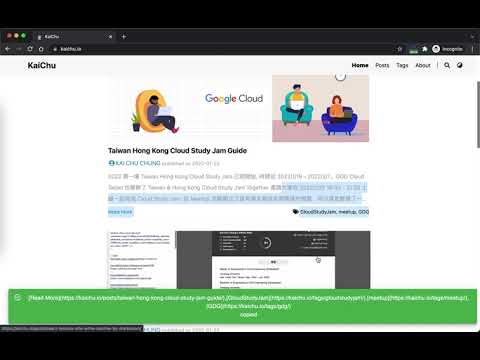
a simple way to copy tab title and url with ease
Features A simple and quick way to copy title and url with ease in chrome browser. * default has 8 copy pattern * `title` * `[title](url)` * `title - url` * `url` * `surl` * `title - surl` * `[title](surl)` * `=HYPERLINK("url","title")` * create custom pattern with `url`, `surl` & `title` (multiple) keyword to create arbitrarily pattern * enable/disable copy pattern you want * contextMenu/Page auto detect selection Links * enable/disable snackbar notification Change log 2.1.0 / 2022-02-01 * fix material ui snackbar css conflict * contextMenu/Page auto detect selection Links * enable/disable snackbar notification 2.0.0 / 2018-08-29 ================== * totally rewrite with react, redux & material UI * 8 default copy pattern * enable/disable copy pattern * create custom copy pattern you want * contextMenu support page/link source 1.0.3 / 2016-11-06 ================== * modify permissions 1.0.2 / 2015-11-23 ================== * fix shorten API error. 1.0.1 / 2015-04-05 ================== * pattern input problem and other bug fixed. 1.0.0 / 2015-04-03 ================== * add options settings sync via Google account between different chrome browser. Change UI themes from Bootstrap to semantic-ui. minors bug fixed. 0.0.110 ================== * add copy link with name feature. 0.0.109 ================== * chrome shortcut support. Default extension is "Shift+Alt+C". You can setup shortcut you want to enable fast copy one option of 5. 0.0.104 ==================
5 点満点で 4.423 件の評価
詳細
- バージョン2.1.0
- 更新:2022年2月2日
- 提供元cage.chung
- サイズ390KiB
- 言語English
- デベロッパー
メール
cage.chung@gmail.com - 非取引業者このデベロッパーは取引業者として申告していません。EU 加盟国の消費者とこのデベロッパーとの間に締結された契約には、消費者の権利が適用されません。
プライバシー
このデベロッパーは、お客様のデータについて以下を宣言しています
- 承認されている以外の用途で第三者に販売しないこと
- アイテムの中心機能と関係のない目的で使用または転送しないこと
- 信用力を判断する目的または融資目的で使用または転送しないこと
サポート
質問や提案、問題がある場合は、パソコンのブラウザでこのページを開いてください