Item logo image for HighlightME

HighlightME

5.0(

2 ratings

)
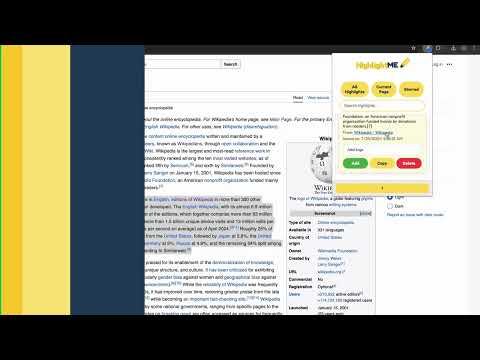
Item media 5 (screenshot) for HighlightME
Item video thumbnail
Item media 2 (screenshot) for HighlightME
Item media 3 (screenshot) for HighlightME
Item media 4 (screenshot) for HighlightME
Item media 5 (screenshot) for HighlightME
Item video thumbnail
Item media 2 (screenshot) for HighlightME
Item media 3 (screenshot) for HighlightME
Item media 4 (screenshot) for HighlightME
Item media 5 (screenshot) for HighlightME

Overview

Save, organize, and manage highlights from any webpage.

HighlightME is a powerful Chrome extension designed to enhance your web browsing and research experience. With HighlightME, you can easily save, organize, and manage highlights from any webpage. Key features: Quick highlighting: Select text and save it with just a right-click or keyboard shortcut Organize with tags: Add custom tags to your highlights for easy categorization Search and filter: Quickly find your saved highlights using our robust search functionality Sync across devices: Access your highlights from any device when signed in to Chrome Star important highlights: Mark your most crucial highlights for quick access Copy with source: Easily copy highlights with automatic source attribution Whether you're a student, researcher, or just an avid reader, HighlightME helps you capture and retain important information from across the web. For any questions or changes you want to make email us: highlightme1848@gmal.com

Details

  • Version
    2.0
  • Updated
    August 12, 2024
  • Offered by
    ShaqLearns
  • Size
    36.25MiB
  • Languages
    English (United States)
  • Developer
    Email
    highlightme1848@gmail.com
  • Non-trader
    This developer has not identified itself as a trader. For consumers in the European Union, please note that consumer rights do not apply to contracts between you and this developer.

Privacy

The developer has disclosed that it will not collect or use your data. To learn more, see the developer’s privacy policy.

This developer declares that your data is

  • Not being sold to third parties, outside of the approved use cases
  • Not being used or transferred for purposes that are unrelated to the item's core functionality
  • Not being used or transferred to determine creditworthiness or for lending purposes

Related

Web Highlighter & Sticky Notes | Sitespedia - Annotate Websites and PDFs

0.0

Highlight and manage important words on websites and add them to sticky notes. You can also change the highlight colors.

Highlighter

4.9

Highlight selected text in webpages, add notes and visit the webpage again to see highlighted text and saved notes.

Simplest Tabs

5.0

Streamline Your Tab Management. Save, search, and navigate with ease using Simplest Tabs.

Tab Manager Pro

0.0

Save, organize, and restore tab collections

Web highlighter & take notes

2.0

Instantly highlight web content and take notes directly on any page.

Save as MHTML

0.0

Effortlessly save web pages as MHTML files. Organize and access your saved pages anytime seamlessly.

Quick Notes

0.0

Take and organize notes while browsing

Power Notes: Add Sticky notes to your browser

5.0

Easily take notes, organize tabs, and keep everything saved locally in your browser.

Jot - Browser Notes

5.0

Take & save notes on webpages.

One Click Save and URL Bookmark Tool

0.0

Save and organize URLs with custom titles

Keplr Extension

5.0

Save and organize your internet resources

Prompt Saver

5.0

Save and manage your prompts

Web Highlighter & Sticky Notes | Sitespedia - Annotate Websites and PDFs

0.0

Highlight and manage important words on websites and add them to sticky notes. You can also change the highlight colors.

Highlighter

4.9

Highlight selected text in webpages, add notes and visit the webpage again to see highlighted text and saved notes.

Simplest Tabs

5.0

Streamline Your Tab Management. Save, search, and navigate with ease using Simplest Tabs.

Tab Manager Pro

0.0

Save, organize, and restore tab collections

Web highlighter & take notes

2.0

Instantly highlight web content and take notes directly on any page.

Save as MHTML

0.0

Effortlessly save web pages as MHTML files. Organize and access your saved pages anytime seamlessly.

Quick Notes

0.0

Take and organize notes while browsing

Power Notes: Add Sticky notes to your browser

5.0

Easily take notes, organize tabs, and keep everything saved locally in your browser.

Google apps