


Overview
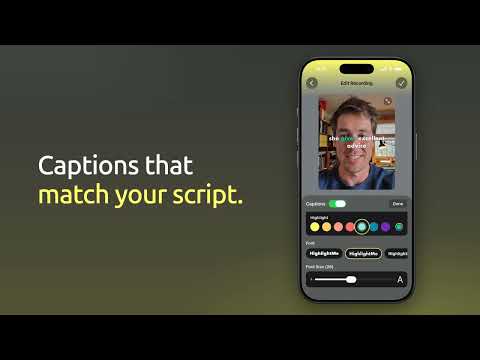
Teleprompter that highlights your script as you speak, records video or audio, and syncs with the HighlightMe iOS and Android apps.
HighlightMe is a teleprompter that follows your voice. Put your script in the side panel next to a video call or recording tab, start reading, and our “Smart Progression” technology highlights each word as you say it, so you never lose your place. Record video or audio of the take with a countdown, pause and resume, and 1080p or 4K on cameras that support it. Blur your background or replace it with your own photo or video, and drag, zoom or fit it to frame. Recordings stay on your computer. Write scripts with AI: describe what you need, pick a tone and length, and get a script ready to read. Edit an existing script by asking for changes, such as shorter, simpler or more conversational, and every result is kept as an AI draft you can go back to. The AI can even match the writing style of your earlier scripts. Turn any text on the web into a script: select it, right-click, and choose “Create HighlightMe script from selection”. Sign in with email, Apple or Google. A HighlightMe Premium subscription bought on iPhone, Android or in the extension unlocks unlimited projects, scripts of any length, the AI script writer, cloud sync across all your devices, keyboard shortcuts and 4K recording. The free plan includes two projects of up to 300 words. Works in Google Chrome and Microsoft Edge.
Details
- Version0.1.7
- UpdatedNovember 11, 2026
- FeaturesOffers in-app purchases
- Size4.66MiB
- LanguagesEnglish
- DeveloperGINTECH SYSTEMSWebsite
1005 Scott Town Ctr # 1056 Bloomsburg, PA 17815-2356 USEmail
support@gintechsystems.comPhone
+1 570-985-7521 - TraderThis developer has identified itself as a trader per the definition from the European Union and committed to only offer products or services that comply with EU laws.
- D-U-N-S006468597
Privacy

HighlightMe - Teleprompter has disclosed the following information regarding the collection and usage of your data. More detailed information can be found in the developer's privacy policy.
HighlightMe - Teleprompter handles the following:
This developer declares that your data is
- Not being sold to third parties, outside of the approved use cases
- Not being used or transferred for purposes that are unrelated to the item's core functionality
- Not being used or transferred to determine creditworthiness or for lending purposes
Support
For help with questions, suggestions, or problems, visit the developer's support site


