

HighlightGPT – Highlight Text to Ask & Explain in ChatGPT

Overview
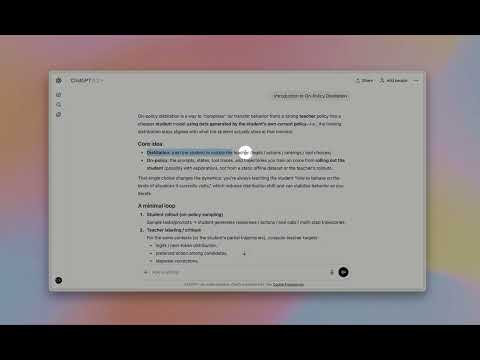
Highlight text in ChatGPT to instantly ask questions, explain concepts, and translate — no copy & paste.
HighlightGPT lets you highlight text in ChatGPT to instantly ask questions, explain concepts, translate text, and save notes — without copy and paste. This Chrome extension adds a smart highlight toolbar inside ChatGPT, turning any selected text into instant AI actions: - Ask questions about the highlighted snippet - Explain concepts in plain language (or in-depth) - Translate while preserving tone and nuance - Save key points for later reference using ChatGPT’s built-in features. Why you’ll love it: - One-tap from highlight → answer: no copy/paste, no extra prompts. - Context stays on screen: answers appear in a slim side panel, so you keep reading without losing your place. - 0 extra tokens: works directly inside ChatGPT’s native web experience — no separate model or token billing. - Privacy-first: answers are generated by ChatGPT only. Best for: - Students and researchers using ChatGPT for explanations and summaries - Reading long articles in ChatGPT with quick text explanations - Translating highlighted text in ChatGPT with consistent tone - Saving important highlights to ChatGPT Memory Install for free, upgrade anytime for Lifetime Pro (remove ads, unlimited memory saves, priority support, early access).
3.7 out of 53 ratings
Details
- Version1.0.6
- UpdatedJune 30, 2026
- Size2.8MiB
- LanguagesEnglish
- DeveloperWebsite
Email
zhongxin123456@gmail.com - Non-traderThis developer has not identified itself as a trader. For consumers in the European Union, please note that consumer rights do not apply to contracts between you and this developer.
Privacy

This developer declares that your data is
- Not being sold to third parties, outside of the approved use cases
- Not being used or transferred for purposes that are unrelated to the item's core functionality
- Not being used or transferred to determine creditworthiness or for lending purposes
Support
For help with questions, suggestions, or problems, visit the developer's support site